

You can streamline your workflow by switching from manual price tag creation to digital solutions like ESL Price Tag systems. When you customize display template options through Esl Retail platforms, you gain access to eye-catching templates that align with your brand. Electronic Shelf Labels, managed by an ESL Gateway AP, allow you to update thousands of SKUs in minutes instead of spending hundreds of hours each month. This approach transforms the process, making it efficient and professional.
Choosing and Customizing Display Template for Price Tags
Selecting the Best Template for Your Store
Pre-made Templates vs. Custom Designs
When you start to customize display template options for your store, you face a choice between pre-made templates and custom designs. Pre-made templates offer a quick solution. You can select from a range of professional layouts that require minimal setup. These templates often include essential elements like product names, price, and barcodes, making them ideal if you want to launch your price tags quickly.
Custom designs, on the other hand, give you full control. You can tailor every aspect to match your store’s unique branding and pricing strategy. This approach works best if you want to highlight special promotions or use psychological pricing techniques, such as charm pricing ($9.99), to influence buying decisions.
Tip: Start with a pre-made template if you are new to digital price tags. Move to custom designs as you gain confidence and want to further customize display template features.
Aligning Templates with Store Branding
Your price tags should always reflect your store’s identity. Consistency in colors, fonts, and logos builds trust and recognition. When you customize display template options, choose elements that match your brand’s color palette and style. For example, use your store’s primary colors for backgrounds or borders, and add your logo in a visible spot.
A strong visual identity helps customers remember your store. It also sets you apart from competitors. Aligning your price tags with your branding ensures every detail, from the price font to the placement of promotional graphics, supports your business image.
Essential Elements of a Good Price Tag Template
Layout, Fonts, and Colors
A well-designed price tag template uses layout, font, and color choices to maximize clarity and appeal. Consider these key points:
- Use clear, readable typography. Choose font sizes and styles that make the price easy to spot.
- Apply color psychology. Red can create urgency for discounts, while blue builds trust for premium products.
- Establish a visual hierarchy. Place the price in a prominent position, with product names and details in smaller fonts.
- Maintain consistent spacing and alignment. This improves legibility and reduces eye strain.
A simple, organized layout guides the customer’s eye to the most important information. You want your price tags to be both attractive and functional.
Incorporating Logos and Promotional Graphics
Adding your store logo and promotional graphics enhances your price tags. Logos reinforce brand identity, while graphics can highlight special offers or savings. Place your logo in a consistent location on each tag. Use promotional images sparingly to avoid clutter.
Note: Always proofread your price tags before printing or publishing. Errors in price or product details can confuse customers and harm your reputation.
A good template balances decorative elements with essential information. By planning your layout and choosing the right materials, you ensure your price tags remain durable and effective in any retail environment.
Using Template Editors to Customize Display Template
Accessing Built-in and Third-Party Editors
Navigating the Editor Interface
When you begin to customize display template options for your store, you will encounter both built-in and third-party editors. Most platforms offer a user-friendly dashboard that allows you to manage price tags efficiently. You can access these editors through a web browser or a dedicated application. The interface usually displays a canvas where you can see your price tag layout and make changes in real time.
You will find toolbars with icons for adding text, images, barcodes, and other elements. Many editors provide a preview mode, so you can check how your price tags will appear on digital displays before publishing. This visual feedback helps you avoid errors and ensures that your price and product information remain clear and accurate.
Tip: Familiarize yourself with the main navigation tools in your editor. This will help you move quickly between templates, make updates, and manage your data more effectively.
Supported File Types and Compatibility
Template editors support a range of file types to ensure compatibility with different systems. You can usually import and export templates in formats like PNG, JPEG, SVG, and PDF. Some editors also allow you to work with proprietary formats designed for electronic shelf label systems.
You should check which file types your platform supports before you start to customize display template features. This ensures that your price tags display correctly on all devices. Compatibility with barcode and QR code formats is also important, as these elements often link to product data or promotions.
Drag-and-Drop Editing for Price Tags
Adding, Moving, and Resizing Elements
Drag-and-drop editing has transformed the way you design and update price tags. With a drag and drop template editor, you can add, move, and resize elements such as text fields, images, barcodes, and QR codes directly on your template. This visual approach eliminates the need for coding and allows you to see changes instantly.
- You can quickly place your price in a prominent position.
- You can insert product images or promotional graphics with a simple click and drag.
- You can adjust the size of each element to fit your layout and ensure that all information remains visible.
This method enables you to update price tags for new products, seasonal promotions, or special events without technical expertise. You can also make bulk changes across multiple templates, saving valuable time.
Adjusting Visual Hierarchy and Readability
A clear visual hierarchy ensures that your price stands out and your data remains easy to read. Drag-and-drop editors let you arrange elements so that the most important information, such as the price, appears first. You can use larger fonts for prices and smaller fonts for product details or barcodes.
Drag-and-drop tools allow you to create visually striking price tags that capture customer attention. You can use eye-catching templates with images, starbursts, or QR codes to drive sales and engagement.
You can also update themed templates for holidays or local events with just a few clicks. This flexibility helps you align your price tags with marketing campaigns and store promotions. User-friendly dashboards and mobile apps make it easy for staff to edit prices and data quickly, reducing training time and minimizing errors.
- Drag-and-drop editing supports fast customization and centralized management of electronic labels.
- You can synchronize updates across multiple devices in real time, reducing manual work and improving operational efficiency.
- Integration with your inventory system ensures that your price tags always display the latest product data.
By using these tools, you streamline your workflow, reduce errors, and keep your price tags up to date with minimal effort.
Editing Text, Images, and Barcodes on Price Tags
Updating Product Information and Prices
Modifying Text Fields and Font Styles
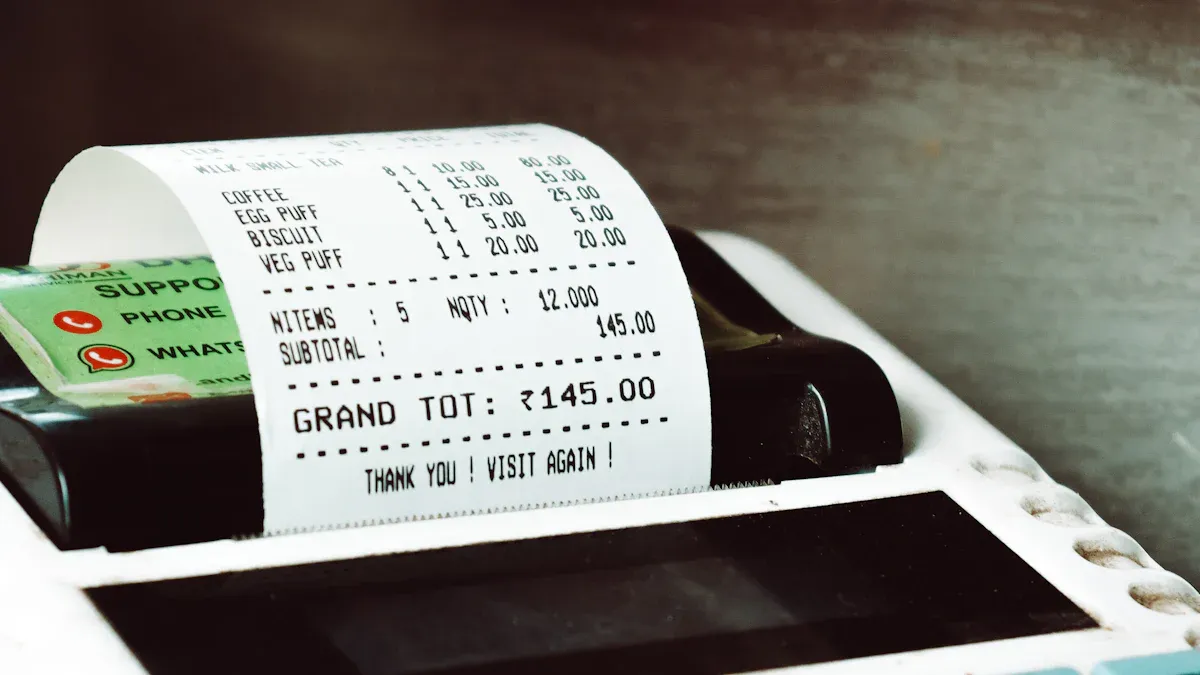
You can update product information and prices on your digital price tags quickly and efficiently. Most template editors allow you to click directly on text fields to change product names, descriptions, or prices. You can select from a range of font styles and sizes to make sure your price stands out. Use bold or larger fonts for the price to draw attention, while keeping product details in a smaller, readable style.
Tip: Choose clear, sans-serif fonts for your tags. This improves legibility and ensures that customers can read prices at a glance.
Retailers often update product information and prices multiple times per day. Digital price tags let you make these changes in real time from a central database. This supports dynamic pricing strategies and helps you respond quickly to market trends or promotions. You do not need to print new labels or spend time replacing tags on the shelf.
Ensuring Clear and Legible Pricing
Clarity is essential for effective price tags. Always check that your price is easy to read, even from a distance. Use high-contrast color combinations, such as black text on a white background, to improve visibility. Place the price in a prominent position on the tag, using a larger font size than other details.
- Test your tags under store lighting to ensure readability.
- Avoid clutter by limiting the amount of text on each tag.
- Use timestamped update records to track every price change and maintain accountability.
Seamless integration with your POS and inventory systems ensures that price updates synchronize automatically. This reduces manual entry errors and keeps your pricing accurate across all channels.
Adding Images, Barcodes, and Store Logos
Uploading and Placing Visual Elements
You can enhance your price tags by adding images, barcodes, and store logos. Most editors support uploading vector image formats like EPS and EMF, which provide high resolution and sharpness for both logos and barcode price tags. Avoid using raster formats such as GIF, JPEG, or PNG, as these may reduce print quality and barcode scannability.
| Category | Recommended Formats / Types | Reason / Notes |
|---|---|---|
| Image Formats | EPS, EMF | Vector formats ideal for print; high resolution; suitable for barcode printing on digital price tags. |
| Not Recommended | GIF, JPEG, PNG | Raster formats; limited color modes; lossy compression; low resolution; unsuitable for barcode printing. |
| Barcode Types | UPC, ISBN, GTIN-14, GS1-128, Databar, Data Matrix, PDF 417, QR Code | Common in retail; ensure scannability and compliance with GS1 standards for price tags. |
Drag and drop your logo into a consistent spot on each tag. Place barcodes where scanners can easily access them. This streamlines checkout and inventory management.
Enhancing Tags with Promotional Images
You can further customize your tags by importing promotional images or icons. Special event and sales templates allow you to highlight discounts or limited-time offers. Displaying your brand logo on every tag reinforces your store’s identity and creates a cohesive shopping environment.
- Customize templates to reflect your brand’s style and ethos.
- Combine product data, logos, and promotional graphics for an engaging display.
- Use QR codes to provide additional product information or link to online promotions.
Digital price tags support frequent updates and dynamic content. You can adjust your tags for seasonal campaigns or special events without extra printing costs. This flexibility helps you maintain a modern, attractive store presentation.
Creating a Price Tag with Data Link for Dynamic Updates
Dynamic price tags have transformed retail operations by enabling real-time updates and seamless integration with inventory systems. When you create a price tag with data link, you unlock the ability to automate pricing, synchronize product information, and streamline store management. This section guides you through connecting templates to inventory systems and using spreadsheets or CSV files for efficient data linking.
Connecting Templates to Inventory Systems
Importing Product Data Automatically
You can connect your digital price tag templates directly to your inventory management system. This integration allows you to import product data automatically, eliminating the need for manual entry. When you set up this connection, your system pulls information such as product names, SKUs, prices, and stock levels from a central database.
- Real-time price updates let you change prices across all stores with a single action.
- Unified price management ensures consistency and accuracy for every product.
- Labor costs decrease because you no longer need to print or replace paper labels.
- Management efficiency improves as you can update inventory displays and picking processes quickly.
- Real-time inventory display supports faster replenishment and reduces out-of-stock situations.
Tip: Automated data imports help you maintain clean, informative electronic price tags that display QR codes and barcodes for easy scanning.
This approach also supports innovative marketing strategies. You can synchronize online and offline promotions, collect multi-dimensional data for targeted campaigns, and ensure that your electronic price tags always match your online platforms.
Setting Up Real-Time Price Updates
Real-time data linking gives you immediate control over your pricing strategy. When you update prices at headquarters, those changes appear instantly on every shelf tag in your stores. AI-powered shelf tag tracking provides image-based insights, confirming that each tag displays the correct price and SKU.
- You can verify that promotional tags are installed and removed according to campaign schedules.
- Real-time monitoring detects pricing inconsistencies and enables quick corrective actions.
- This process ensures that your pricing strategy matches in-store execution, protecting your revenue and brand reputation.
Continuous data synchronization closes the gap between your central system and the sales floor. You gain execution certainty, faster issue resolution, and stronger collaboration across your retail network.
Using Spreadsheets or CSV Files for Data Linking
Mapping Data Fields to Template Elements
Spreadsheets and CSV files offer a practical way to automate data updates for digital price tags. You can maintain consistent column headers—such as Price, Product Title, and SKU—to match the fields in your automation system. This structure ensures that your system links the correct data to each product tag.
To map data fields effectively, follow these steps:
- Define your source and target databases to clarify where data originates and where it will be mapped.
- Specify which columns from your spreadsheet need to connect to template elements.
- Determine the intended data format after transformation for compatibility.
- Document triggers and automation details, including when and how data integration runs.
- Establish standard naming conventions for consistency.
- Define schema logic or transformation rules to guide data conversion.
- Test your mapping logic on a small sample to catch errors early.
- Complete the data map after validation and testing.
- Document the process thoroughly to support maintenance and team alignment.
- Plan for long-term use and scalability, using automated tools for larger projects.
Note: Involve stakeholders and use metadata or data dictionaries to clarify definitions. Assign roles to skilled personnel and plan for ongoing maintenance.
Proper mapping ensures that your price tag with data link displays accurate and up-to-date information every time you update your spreadsheet.
Troubleshooting Data Integration Issues
Integrating digital price tag templates with inventory systems can present challenges. Many retailers face obstacles such as lack of a unified platform for real-time inventory visibility, segmented supply chain processes, and inadequate technology infrastructure. These issues complicate accurate tracking and data sharing across multiple locations.
| Challenge | Description | Impact/Supporting Data |
|---|---|---|
| Integration Complexity | Difficulty connecting existing systems, leading to errors and discrepancies | 73% of companies struggle; ERP failures cause $1.2M lost productivity |
| Legacy System Compatibility | Outdated technology and poor documentation complicate integration | Many organizations rely on legacy systems hindering smooth integration |
| Data Synchronization Errors | Errors cause inventory discrepancies | Directly linked to integration failures and lost productivity |
| Inventory Visibility | Lack of real-time tracking and unified platform | Limits transparency across locations and supply chain segments |
| Skills Gap | Staff resistance and lack of training hinder adoption | 67% resistance; 40-80 hours training needed per user |
| Cybersecurity Concerns | Increased risk due to expanded data and network points | Requires detailed incident reporting and compliance automation |
| Technology Infrastructure | Inadequate or outdated infrastructure limits integration success | Necessitates investment in modern, connected systems |
Many organizations also struggle with legacy technology that lacks proper documentation, making modifications difficult. Skills gaps within internal teams can slow down implementation, often requiring external expertise or extended training. Cybersecurity concerns increase as data volume and network points expand, so you must invest in robust incident reporting and compliance measures.
Tip: Use modern, connected systems and invest in staff training to overcome integration challenges. Maintain thorough documentation and establish clear processes for troubleshooting.
When you address these challenges, you ensure that your dynamic price tags remain accurate, timely, and effective in supporting your retail operations.
Previewing, Saving, and Managing Customized Price Tags
Reviewing Templates for Errors and Readability
Checking Text and Barcode Clarity
You need to review your digital price tags for clarity before deploying them. Start by checking that all text is easy to read and that barcodes scan correctly. Automated tools powered by AI and machine learning can help you validate data and catch errors before updates reach your tags. These systems can scan for missing or incorrect data, ensuring that every price and product detail appears as intended.
- Use automated validation to check for typos or formatting issues in your tags.
- Employ middleware solutions with error management to handle data translation and automate workflows.
- Implement monitoring tools that track transactions in real time and alert you to discrepancies.
- Conduct phased rollouts, starting with a small group of tags, to identify and fix issues early.
- Provide staff training and ongoing support to ensure everyone understands how to manage and review tags.
Regular system updates and wireless deployment methods help you maintain error-free tags and ensure that price changes reach the shelf quickly.
Verifying Visual Consistency
Visual consistency across all tags builds trust with your customers. You should compare tags side by side to confirm that fonts, colors, and layouts match your store’s branding. Centralizing data management and connecting your tags to retail management systems allows for uniform updates and reduces the risk of human error. Automated price changes and middleware integration help maintain consistent data formatting. Regular audits and technical support further protect against formatting and data errors.
Saving, Version Control, and Backups
Creating and Restoring Template Versions
Efficient management of your digital price tag templates relies on strong version control. Use systems like Git, Adobe Creative Cloud, or Filestage to track changes and collaborate with your team. Define clear naming conventions for your files, such as StoreName_TagType_VersionNumber, so you can always identify the latest version. Create branches for experimentation, keeping new ideas separate from stable designs. Maintain a detailed history of changes, making it easy to revert to previous versions if you spot an error.
- Track who made changes and when.
- Separate experimental tags from live versions.
- Restore earlier versions quickly if needed.
- Protect your files from accidental deletions or hardware failures.
A well-organized version control system reduces errors and supports collaboration across your team.
Managing Template Libraries
You should centralize all your template files in a secure, organized library. Establish a single source of truth for your tags and data, making it easy for your team to find and update the correct files. Set permissions and access controls to protect sensitive data and ensure only authorized staff can make changes. Regularly audit usage and access to maintain security and compliance. Encrypt your documents and use digital signatures for approvals.
Back up your template libraries frequently—ideally multiple times per day—to prevent data loss from threats like ransomware. The 3-2-1 backup rule recommends keeping three copies of your data on two different media types, with one copy stored off-site. Block-level incremental backups make frequent backups practical by only copying changed data blocks.
Consistent file structures, naming conventions, and automated document management software help you organize, secure, and streamline your tags and data for long-term success.
Deploying and Printing Customized Price Tags

Sending Templates to Digital Displays
Syncing with Electronic Shelf Labels
You can deploy digital price tag templates to electronic shelf labels (ESLs) efficiently by leveraging a centralized management system. This system stores, controls, and configures all product information, allowing you to update thousands of tags in minutes. Ultra-fast wireless transmission technology enables you to update over 2,000 ESL tags within five minutes. Individual tag updates often take less than ten seconds, sometimes as fast as 0.1 seconds. Robust communication, optimized by more than 60 RF channels, ensures reliable and rapid wireless transmission.
ESL screens come in various sizes, ranging from 1.6 to 11.6 inches. These screens resist shock, dust, and water, providing durability and stable operation. Software configuration tools help you locate and manage ESL tags quickly, improving productivity and deployment efficiency.
Tip: Flexible display templates let you choose from ready-made options or create custom designs, ensuring your tags always match your store’s branding.
To ensure reliable synchronization between your digital price tag templates and ESLs, consider the following aspects:
| Aspect | Supporting Details |
|---|---|
| Real-time Synchronization | Instant refresh of information for data consistency across platforms. |
| Template Customization | Edit QR codes, images, and color blocks for branding control. |
| Scalability | Integrate seamlessly with other platforms and support future growth. |
| Communication Reliability | Frequency hopping technology provides strong anti-interference capability. |
| Inventory Management | Quick locate feature with blinking lights aids efficient stock handling. |
Scheduling Automatic Updates
You can schedule automatic updates for your ESLs through remote management features. This approach enables you to monitor and manage tags from anywhere, ensuring smooth updates and reliability. Integration with your POS and ERP systems allows real-time synchronization of prices, promotions, and inventory. Price adjustments propagate instantly across your store with just a few clicks, eliminating manual tag replacement and reducing labor costs.
Multi-color displays and automatic updates for promotions or seasonal events help you keep your tags engaging and relevant. Specialized ESLs operate reliably in challenging environments, such as cold storage, with LED indicators to support inventory management.
Printing Physical Price Tags if Needed
Selecting Paper Types and Sizes
When you need physical price tags, selecting the right materials and printing technologies is crucial. Cardstock offers thickness and durability, often with a coated surface to enhance image sharpness and moisture resistance. Coated paper, with its clay layer, delivers crisp colors and long-lasting prints. Heavier paper weights provide the stiffness needed for tags that must resist rips and wrinkles.
For printing, you can choose from several technologies:
- Inkjet printing produces vibrant colors and sharp images, ideal for high-quality tags.
- LED UV printing uses ultraviolet light to dry ink instantly, creating vivid colors and a premium finish on various materials.
- Thermal transfer printing, combined with wax, wax/resin, or resin ribbons, delivers durable, long-lasting prints. Resin ribbons offer the highest durability, suitable for harsh environments.
Consider eco-friendly materials like recycled paper or biodegradable plastics to align with sustainability goals.
Bulk Printing and Distribution
Efficient bulk printing and distribution streamline your store operations. Use SKUs as unique product identifiers to ensure accurate inventory management. Custom print solutions allow you to integrate barcodes and QR codes, enhancing both functionality and visual appeal. Design elements such as color schemes, fonts, and branding consistency help maintain a strong brand identity across all tags.
You can also add interactive elements, such as QR codes, to connect customers with exclusive content or promotions. Including social media handles and website links on your tags bridges the gap between physical products and digital engagement. Design resources from specialized providers help you create professional-quality tags quickly and efficiently.
Practical Design Tips for Effective Price Tags
Making Price Tags Stand Out
Using Color, Contrast, and Visual Cues
You want your price tags to capture attention and communicate value instantly. Color and contrast play a critical role in this process. Bright colors like red or yellow signal urgency and highlight discounts, while blue or green can convey trust and freshness. You can use bold color blocks or borders to separate prices from other information, making them pop on the shelf.
- Flashing signals on digital price tags alert customers to low stock, creating a sense of urgency and supporting inventory management.
- Color codes help you organize products by category or promotion, making it easier for shoppers to spot deals.
- Electronic ink displays with clear fonts and vibrant colors ensure your price tags remain readable and visually appealing under any lighting.
You can also add QR codes or NFC tags to your price tags. These elements provide interactive experiences, allowing customers to scan for product details, recipes, or digital coupons. This approach not only draws attention but also encourages engagement at the shelf.
Tip: Use a mix of sizes and shapes for your digital price tags. Varied designs align with your store’s branding and create a modern, sophisticated look that stands out in retail aisles.
Highlighting Promotions and Discounts
Promotions and discounts drive sales, but only if customers notice them. You can make these offers stand out by using dynamic content management. Schedule real-time updates for flash sales or limited-time offers. Display promotional graphics, such as starbursts or banners, to highlight special prices.
- Use bold, large fonts for discounted prices.
- Add icons or badges to indicate exclusive deals.
- Integrate QR codes that link to personalized promotions or additional savings.
A sleek, modern ESL design adds sophistication to your shelves and makes promotional tags more noticeable. When you combine visual cues with interactive technology, you create a compelling shopping experience that boosts engagement and sales.
Ensuring Accessibility and Compliance
Readable Fonts and Sizing
Accessibility ensures every customer can read your price tags easily. Choose sans-serif fonts with high contrast against the background. Avoid decorative or script fonts, which can reduce legibility. Font size matters—make sure prices and key details are large enough to read from a distance.
| Element | Recommendation |
|---|---|
| Font Type | Sans-serif (e.g., Arial) |
| Font Size | At least 14pt for prices |
| Contrast Ratio | 4.5:1 or higher |
Test your tags under store lighting to confirm readability. Consistent sizing across all tags helps customers compare products quickly.
Meeting Local Labeling Standards
Compliance with local labeling standards protects your business and builds trust. You must include all required information, such as product name, price, barcode, and any legal disclaimers. Regulations may specify minimum font sizes, language requirements, or placement of certain details.
Note: Review your region’s retail labeling laws regularly. Update your templates as standards evolve to avoid penalties and ensure customer confidence.
By focusing on accessibility and compliance, you create price tags that serve every shopper and support your store’s reputation for professionalism and care.
Customizing digital price tag templates gives you a powerful way to elevate your store’s presentation. You can use intuitive tools to design dynamic, branded tags that attract customers and support your business goals.
Ready to get started? Try a template editor or download our free guide today.
Keep your price tags fresh and engaging. You will boost sales and streamline your daily operations with ease.
FAQ
How do you update prices on digital price tags?
You can update prices through your template editor or inventory management system. The changes sync automatically to all connected digital price tags, saving you time and reducing manual errors.
Can you use your own logo and colors on templates?
Yes. Most template editors let you upload your store logo and select custom colors. This ensures your price tags match your branding and create a consistent look throughout your store.
What file formats work best for images and barcodes?
For best results, use vector formats like EPS or EMF for logos and barcodes. These formats keep images sharp and ensure barcodes scan correctly.
Do you need special training to edit digital price tags?
You do not need advanced technical skills. Most editors use drag-and-drop features and simple menus. You can learn the basics quickly, even if you have never used design software before.
How do you print physical price tags if needed?
Select the right paper type and size in your editor. Export your design as a PDF or compatible format. Use a high-quality printer for best results. Bulk printing options help you save time.
What should you do if a barcode does not scan?
Check the barcode size and clarity. Make sure you use a supported format. Test the barcode with a scanner before deploying tags. Adjust placement or contrast if needed.
Can you schedule automatic updates for digital price tags?
Yes. Many systems allow you to schedule updates for prices or promotions. You can set times for changes to go live, ensuring your tags always display accurate information.