

You rely on a pos system that connects seamlessly with digital price tags and electronic shelf labels to maintain pricing accuracy across your store. Approximately 64% of retailers worldwide have adopted these integrated solutions, using systems like ESL Gateway AP and ESL Price Tag to deliver instant price updates. Real-time updates ensure that prices remain consistent at every point—digital price tags on shelves, checkout, and inventory records. When you use Esl Retail technology, you reduce errors and boost customer trust by reflecting accurate prices. Consistent, real-time accuracy prevents mismatches between shelf and checkout prices, which can otherwise frustrate customers and harm your reputation.
Real-time pricing accuracy improves your ability to respond to market changes, enhances customer satisfaction, and supports sustainable retail growth.
Core Components of POS System and Digital Price Tags Communication

POS System Functions
Transaction Processing and Data Management
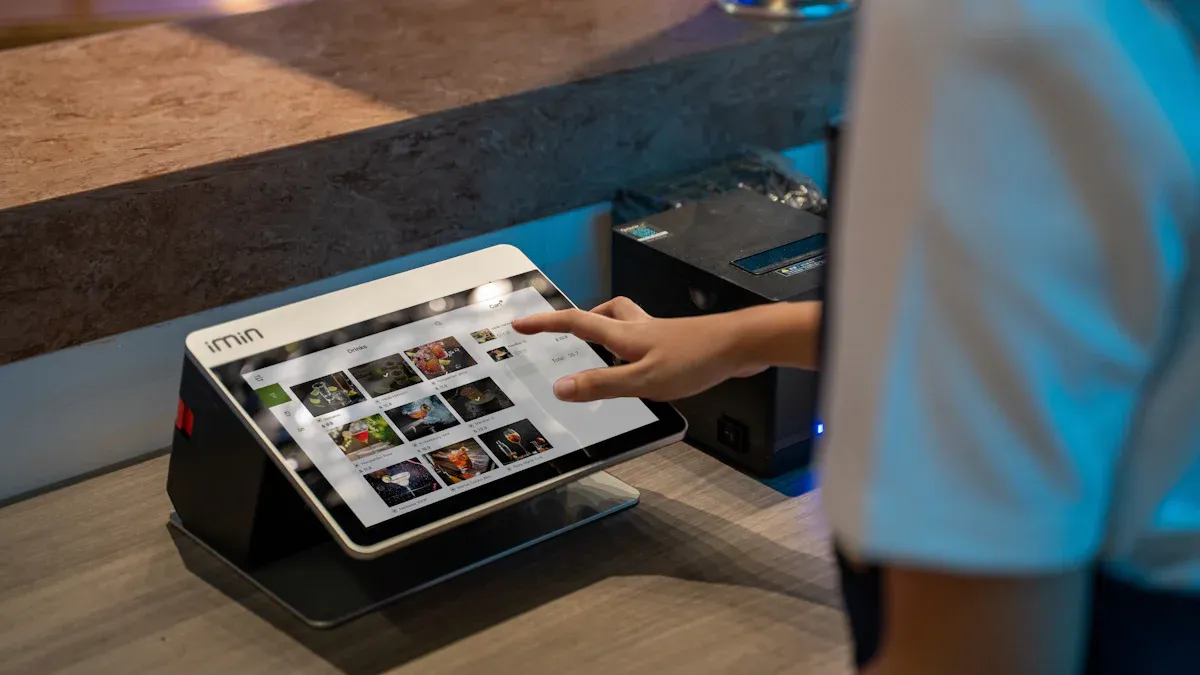
You rely on your pos system to handle every transaction with speed and accuracy. The system processes payments, manages inventory, and stores customer data. Hardware such as computers, tablets, barcode scanners, and receipt printers work together to support these functions. Payment processors ensure secure authorization for each sale. This foundation allows you to maintain pricing accuracy and keep your store running smoothly.
Integration with Digital Price Tags
Integration between your pos system and digital price tags forms the backbone of real-time pricing accuracy. Middleware APIs or SDKs connect your pos software with electronic shelf labels, enabling instant updates to prices and product information. When you update a price in your pos, the system communicates with the ESL base station, which uses Bluetooth to transmit the new data to the digital shelf labels. This integration ensures that every price change reaches the shelf in real-time, reducing errors and supporting real-time synchronization across your store.
Digital Price Tags (Electronic Shelf Labels)
Display Capabilities and Information Delivery
Digital price tags, also known as electronic shelf labels, do much more than display prices. You can show a wide range of information to improve accuracy and customer experience. The table below highlights the types of information digital shelf labels can display and the benefits for your store:
| Types of Information Displayed Beyond Pricing | Benefits to Retailers |
|---|---|
| Product names | Real-time price updates from a central database |
| Bar codes | Price coordination with pos systems |
| Product descriptions | Inventory management signals (availability, shortages) |
| Ingredients | Enables dynamic and personalized pricing strategies |
| Health or allergy warnings | Improves operational efficiency |
| Images of product packaging | Reduces labor costs by eliminating manual label changes |
| Technical descriptions and special features | Enhances competitive pricing responsiveness |
| Dynamic price offers | Provides data collection for shopper behavior analysis |
With these capabilities, digital price tags support real-time updates and help you maintain pricing accuracy throughout your store.
Power Efficiency and Battery Life
Electronic shelf labels use e-ink displays, which consume power only during updates. This design gives you long battery life, even with frequent real-time updates. For example, typical digital shelf labels last three to six years under standard use, while advanced models like the Newton ESL can last up to ten years. Factors such as update frequency, temperature, and tag placement affect battery life, but modern digital pricing systems optimize energy use for maximum efficiency and accuracy.
Label Management Software for Pricing Accuracy
Centralized Control and Synchronization
Label management software gives you centralized control over all digital price tags in your store. You can synchronize prices, product data, and inventory information from a single dashboard. This system supports real-time synchronization, ensuring that every update reaches the shelf instantly and maintains pricing accuracy.
Real-Time Data Updates
With label management software, you can push real-time updates to electronic shelf labels. The system receives data from your pos and transmits it through the ESL base station to the digital shelf labels. This process guarantees that your prices remain accurate and consistent, supporting efficient operations and reducing manual labor.
Communication Gateways in POS Networks
Wireless Data Transmission Methods
You depend on communication gateways to connect your pos system with digital price tags throughout your store. These gateways act as the central hub, transmitting data between your management system and every digital price tag. You often find that gateways support multiple wireless protocols, such as Wi-Fi, Zigbee, Bluetooth, and Ethernet. Each protocol offers unique benefits for your retail environment.
- Wi-Fi provides broad coverage and high-speed data transfer, making it suitable for large stores with many digital price tags.
- Zigbee offers low power consumption and reliable mesh networking, which helps you maintain stable connections across many aisles.
- Bluetooth works well for short-range communication, especially in smaller stores or specific sections.
- Ethernet connections ensure stable, wired links between your gateway and the central pos system, reducing the risk of wireless interference.
You must place gateways centrally and keep them free from obstructions. This placement ensures that every digital price tag receives updates from your pos system without delay. In larger stores, you may need several gateways to cover all areas and maintain consistent communication.
Tip: Always check for physical barriers like metal shelves or thick walls that could block wireless signals. Proper placement of gateways helps you avoid missed updates and keeps your pricing accurate.
Security remains a top priority. You protect your system by using firewalls, strong password policies, and end-to-end encryption. Regular software updates and multi-factor authentication help you maintain the integrity of your pos and digital price tag network.
Network Integration and Scalability
Your communication gateway does more than just transmit data. It serves as a bridge between your pos system, inventory management, and digital price tags. This integration allows you to manage pricing, inventory, and sales data from a single dashboard. You streamline your operations and ensure that every price change in your pos system appears instantly on your digital price tags.
You connect gateways to your existing network devices, such as routers and switches, using standard Ethernet ports. This setup supports seamless integration with your current infrastructure. You can scale your system easily by adding more gateways as your store grows or as you introduce more digital price tags.
- Multiple gateways help you cover large retail spaces and ensure every digital price tag stays connected.
- Network segmentation, such as VLANs, keeps your pricing and inventory data secure.
- VPNs allow you to monitor and manage your system remotely, while encrypted data transmission protects sensitive information.
You maintain data privacy by monitoring network activity and using secure access controls. As your store expands, you can add new digital price tags and gateways without disrupting your existing system. This flexibility supports your long-term growth and helps you keep your pricing accurate at all times.
Step-by-Step Communication Process Between POS and Digital Price Tags
Data Flow from POS System to Management Software
Initiating Price and Product Updates
You start the process by updating prices or product information in your pos. The system captures these changes and prepares them for distribution across your store. When you update prices, the system immediately sends the new data to the centralized management software. This integration ensures that every change you make in the pos reaches the digital price tags and electronic shelf labels without delay.
Real-time price updates play a crucial role in maintaining pricing accuracy. You benefit from real-time synchronization, which means that as soon as you update prices in your pos, the system triggers an instant update across all digital price tags. Most retailers report that these updates occur within seconds, thanks to wireless communication modules like Wi-Fi or Bluetooth. This rapid response supports dynamic pricing strategies and helps you stay competitive.
Data Formatting, Validation, and Security
Before the system transmits any updates, it formats and validates the data. You rely on the management software to check for errors, confirm product codes, and ensure that prices match your inventory records. This step prevents mismatches and guarantees that only accurate information reaches your digital price tags.
Security remains a top priority during data transfer. You protect sensitive information by following strict industry standards and using advanced security measures, such as:
- Compliance with PCI DSS, GDPR, and SOC 2 to safeguard customer data.
- Strong authentication methods, including multifactor authentication, unique user IDs, and biometric verification.
- Regular software updates and patch management to address vulnerabilities.
- Monitoring for unusual activity and network segmentation to limit breaches.
- Choosing payment processors with tokenization and real-time transaction tracking.
- Hardware-based encryption, such as Point-to-Point Encryption (P2PE) and Trusted Platform Modules (TPM), to secure data during transmission.
- End-to-end encryption at every step, from card readers to cloud servers.
- Access controls and audit trails to monitor who can view or modify data.
Note: Encryption and compliance with data protection regulations help you avoid penalties and maintain customer trust.
Wireless Transmission via Communication Gateway
Signal Conversion and Protocol Handling
Once the management software validates the updates, the system sends the data to communication gateways. These gateways act as the bridge between your pos and the digital price tags. The gateway receives update commands from the server through network connections like Ethernet or Wi-Fi, using TCP/IP protocols.
The gateway converts the data into wireless signals suitable for transmission to electronic shelf labels. You can choose from several wireless protocols, each with its own advantages. The table below summarizes the most common options:
| Protocol | Hardware Cost | Infrastructure Needs | Typical Use Case |
|---|---|---|---|
| Bluetooth | Low | Minimal (existing) | Supermarkets, specialty stores |
| Wi-Fi | Moderate | High (network) | Small to medium retail |
| ZigBee | Moderate | Moderate | Large stores, multi-floor sites |
| LoRa | High | Specialized | Warehouses, outdoor retail |
| NFC | Low | Minimal | Customer engagement points |
| RF | Low | Minimal | General retail |
You select the protocol that best fits your store’s size and infrastructure. For example, ZigBee and RF offer reliable coverage for large areas, while Bluetooth and Wi-Fi suit smaller environments.
Routing Data to Digital Price Tags
After converting the data, the gateway transmits updates wirelessly to every digital price tag and electronic shelf label within its coverage area. The system uses low-power RF technology, often operating in the 433 MHz or 2.4 GHz frequency bands, to ensure efficient and secure delivery.
You benefit from bidirectional communication, which allows the system to send updates and receive status feedback from the digital price tags. The coverage radius typically reaches up to 50 meters without obstacles, making it easy to manage updates across your entire store. The hierarchical structure of the electronic price tag system ensures that product and pricing information flows smoothly from your headquarters to the ERP, then to the pos, and finally to the digital price tags through the cloud server and gateways.
Tip: Place gateways strategically to maximize coverage and minimize interference from physical barriers.
Digital Price Tag Update and Status Retrieval by POS
Display Refresh and Confirmation Signals
When the digital price tags receive updates, they refresh their displays to show the new prices and product information. You see the changes reflected almost instantly, usually within seconds. This real-time update capability ensures that your customers always see accurate prices on the shelves.
The system maintains flawless real-time synchronization between your store’s database, the digital price tags, and the pos devices. This integration guarantees that any price change you make in the database appears immediately on the digital price tags and at checkout. You prevent discrepancies and maintain pricing accuracy at every point of sale.
Status Feedback and Error Reporting to POS
After updating, each digital price tag sends a confirmation signal back to the system. Your pos receives this feedback, which confirms that the update succeeded. If a tag fails to update or encounters an error, the system generates an alert. You can then investigate and resolve the issue before it affects your customers.
You rely on this feedback loop to monitor the health of your digital price tags and electronic shelf labels. The system logs every update, tracks errors, and provides real-time status reports. This process helps you maintain operational efficiency and ensures that your integration between pos and digital price tags remains robust.
Callout: Real-time price updates and continuous feedback help you avoid pricing errors and deliver a seamless shopping experience.
Communication Protocols and Technologies for POS and Digital Price Tags
Modern retailers depend on robust communication protocols to ensure seamless integration between POS systems and digital price tags. You must understand how these technologies work to maintain real-time pricing accuracy and operational efficiency.
Wi-Fi in POS System Integration
Coverage, Speed, and Security
Wi-Fi stands out as a popular choice for connecting POS systems with digital price tags. You benefit from broad coverage and high-speed data transfer, which supports real-time price updates and synchronization. Wi-Fi enables centralized management of pricing and inventory data, allowing you to control every digital price tag from a single platform. This protocol integrates well with existing store infrastructure, making it easier for retailers to upgrade without major hardware changes.
However, you must address several challenges when using Wi-Fi. Network reliability issues can cause delays or mismatches in price updates. Latency sometimes leads to discrepancies between shelf prices and checkout prices. Security remains a top concern, as sensitive pricing and inventory data travel over wireless networks. You need strong encryption, regular software updates, and strict access controls to protect your system. Wi-Fi also consumes more power than alternatives like Bluetooth Low Energy or proprietary RF systems, which can impact battery life for digital price tags.
Tip: Plan your network carefully and invest in robust security measures to maximize the benefits of Wi-Fi integration.
Use Cases in Large Retail Environments
You often see Wi-Fi deployed in large retail environments where coverage and speed are critical. Retailers with extensive floor space rely on Wi-Fi to connect hundreds or thousands of digital price tags. This protocol supports real-time updates across multiple departments, ensuring that every price change reaches the shelf instantly. Wi-Fi’s compatibility with existing POS and inventory systems makes it a practical solution for retailers looking to scale their operations without overhauling their entire network.
Zigbee for Digital Price Tags
Low Power Consumption and Mesh Networking
Zigbee technology offers a compelling solution for retailers who prioritize energy efficiency and network reliability. You gain the advantage of low power consumption, which extends the battery life of digital price tags and reduces maintenance needs. Zigbee’s mesh network topology creates a self-healing system. If one device fails or faces interference, the network automatically reroutes data through other nodes, ensuring continuous operation.
Mesh networking also provides redundancy. You can place routers and coordinators strategically to enhance coverage, even in large or multi-floor stores. Zigbee’s robust security features protect your data, maintaining integrity and privacy throughout your retail environment.
Scalability for Multiple Tags
Scalability defines Zigbee’s strength. You can support up to 65,000 nodes in a single network, making it ideal for retailers with large-scale deployments. The flexible infrastructure allows you to expand your system easily as your store grows. You do not need significant changes to add new digital price tags or cover additional areas. Zigbee networks also integrate with other protocols like Wi-Fi and Bluetooth, giving you flexibility and interoperability in complex retail systems.
Note: Zigbee’s mesh networking ensures reliable communication and easy expansion, supporting the needs of growing retailers.
Bluetooth Applications in POS and Digital Price Tags
Short-Range Communication and Device Pairing
Bluetooth Low Energy (BLE) provides efficient short-range communication between POS systems and digital price tags. You benefit from low power consumption and adaptive frequency hopping, which minimizes interference and extends battery life. BLE supports secure data transmission with encryption and authentication, protecting your pricing and inventory information.
Pairing devices is straightforward. You can use smartphones, tablets, or portable digital price tag guns to manage and update digital price tags. This mobility gives you flexibility in managing your store’s pricing and inventory.
Use in Small-Format Stores
Bluetooth shines in small-format stores where coverage requirements are limited. Retailers choose BLE for its ease of setup and minimal infrastructure needs. You can deploy wireless gateways and hubs to connect electronic shelf labels to your central management system. Mobile apps allow you to manage and update digital price tags remotely, enabling instant synchronization with POS and inventory systems.
Bluetooth’s low power, security, and integration capabilities make it a practical choice for retailers who want efficient wireless communication without the complexity of larger network protocols. You can handle price updates, inventory management, and remote control with ease, supporting dynamic pricing strategies in smaller retail environments.
Callout: Choosing the right communication protocol helps you balance coverage, security, and scalability, ensuring your digital price tag system meets the unique needs of your retail operation.
Sub-1 GHz RF and NFC Protocols
Long-Range, Low-Power Communication (Sub-1 GHz RF)
You often need to update digital price tags across large retail spaces. Sub-1 GHz RF (Radio Frequency) technology gives you the ability to reach every corner of your store, even through obstacles like shelves and walls. This protocol operates at frequencies below 1 GHz, which allows signals to travel farther and penetrate physical barriers more effectively than higher-frequency options.
Sub-1 GHz RF stands out for its impressive range. You can cover several kilometers with a single gateway, making it ideal for supermarkets, warehouses, and big-box retailers. This long-range capability means you do not need to install as many gateways, which reduces infrastructure costs and simplifies network management.
Power consumption with Sub-1 GHz RF can vary. Many digital price tags use optimized RF chips that balance energy use and performance. You benefit from battery life that supports frequent updates without constant maintenance. However, compared to ultra-low-power protocols like NFC, Sub-1 GHz RF may draw more energy, especially when you require high-speed data transfers.
Update speed depends on your configuration. Some RF protocols support data rates up to 1 Gbps, but most digital price tag systems prioritize reliability and battery life over maximum speed. You can expect consistent updates that keep your pricing accurate throughout the day.
Tip: Sub-1 GHz RF works best when you need to manage thousands of digital price tags over a wide area. You gain flexibility and scalability for future expansion.
Here’s a quick comparison to help you understand how Sub-1 GHz RF stacks up against NFC:
| Parameter | NFC (13.56 MHz) | Sub-1 GHz RF |
|---|---|---|
| Range | Up to 10 cm (very short range) | Up to several kilometers (long range, better penetration through obstacles) |
| Power Consumption | Very low (especially passive tags) | Moderate to high, but can be optimized for low power in IoT applications |
| Update Speed | 106 to 424 Kbps | Varies widely; typical low-power RF protocols have lower speeds, but some RF tech supports up to 1 Gbps |
| Latency / Polling | Typically polled every second | Can support faster updates depending on configuration |
Proximity-Based Updates and Interactivity (NFC)
NFC (Near Field Communication) gives you a different set of advantages. You use NFC when you want to update or interact with digital price tags at close range. This protocol operates at 13.56 MHz and supports communication only within a few centimeters—usually up to 10 cm. You can update a tag by simply tapping it with an NFC-enabled device, such as a smartphone or a dedicated reader.
NFC excels in power efficiency. Many NFC tags are passive, drawing energy from the reader during each interaction. This design means you never need to replace batteries in passive tags, which reduces maintenance and environmental impact. You also benefit from fast, secure data exchanges, with speeds ranging from 106 to 424 Kbps.
You find NFC especially useful for applications that require secure, one-to-one interactions. For example, you can use NFC to enable staff to update prices on individual tags, verify inventory, or trigger special promotions. Customers can also use NFC to access product information or participate in loyalty programs by tapping their phones on a shelf label.
Note: NFC is not designed for mass updates across a large store. You should use it for targeted, interactive tasks that require close proximity and minimal power.
The following table summarizes the key differences between NFC and RF protocols for digital price tags:
| Protocol | Range | Speed | Power Consumption | Use Cases |
|---|---|---|---|---|
| NFC | Up to 10 cm | 106 to 424 Kbps | Very low | Contactless payments, close-proximity data exchange, targeted price updates |
| RF | Up to several km | Up to 1 Gbps | Moderate to high | WiFi, cellular, IoT, digital price tags requiring longer range |
When you choose between Sub-1 GHz RF and NFC, consider your store’s size, the number of digital price tags, and your need for either broad coverage or interactive features. Sub-1 GHz RF gives you the reach and scalability for large deployments. NFC delivers secure, low-power updates for close-range, interactive experiences.
Integration and Compatibility Requirements for POS and Digital Price Tags
Software Prerequisites for POS System and Digital Price Tags
POS and ESL Software Compatibility
You need to ensure that your POS system and electronic shelf labels work together seamlessly. Compatibility starts with checking if your POS supports API access or has built-in ESL connectivity. Cloud-based POS platforms often provide better real-time synchronization with digital price tags, while older on-premise systems may require upgrades or extra configuration. Middleware solutions can help bridge gaps if your POS does not directly support integration with electronic shelf labels. Automated pricing management features allow you to reflect price changes instantly on digital price tags, which helps you maintain pricing accuracy across your store.
Tip: Always verify that your POS system can integrate with your existing software tools. This step prevents workflow disruptions and supports smooth daily operations.
API, Middleware, and Data Synchronization Support
You benefit from robust API support and middleware when integrating your POS with digital price tags. APIs enable direct communication between your POS and ESLs, allowing for automated updates and real-time data exchange. Middleware acts as a translator, ensuring that even if your POS and ESLs use different protocols, the integration remains smooth. Data synchronization keeps your pricing and product information consistent across all channels. You should plan and customize your API integration to fit your specific retail needs, conduct thorough testing, and train your staff for effective use. Continuous monitoring and optimization of the integration help you maintain system performance and efficiency.
Network Infrastructure for Pricing Accuracy
Wireless Network Setup and Security
A reliable wireless network forms the backbone of your integration. You must consider routers, switches, and gateways to ensure stable communication between your POS system and digital price tags. Wireless technologies like Wi-Fi, Bluetooth, Zigbee, and Optical Wireless Communication (OWC) each offer unique benefits. OWC, for example, provides high power efficiency and avoids crowded wireless frequencies. Security measures such as encryption, firewalls, and regular software updates protect your data during synchronization. You should also monitor for interference, especially in environments with many wireless devices.
Access Control and Data Protection
You need strong access controls to safeguard your system. Limit user permissions and use multi-factor authentication to prevent unauthorized access. Data protection protocols, such as PCI DSS and GDPR compliance, help you secure sensitive information. Regular audits and monitoring ensure that your integration remains secure and that your pricing accuracy is never compromised.
Hardware Considerations in POS-ESL Integration
Gateway Placement and Coverage Planning
Proper gateway placement ensures that your digital price tags receive updates without delay. You should position gateways centrally and away from physical barriers to maximize coverage. In large stores, multiple gateways may be necessary to maintain reliable communication. Consider the type of wireless technology you use, as some, like OWC, offer advantages in power efficiency and reduced interference.
Digital Price Tag Model Compatibility
You must select digital price tags that are compatible with your POS system and network infrastructure. Check that your tags support the required communication protocols and can integrate with your existing hardware. Battery life is a critical factor, especially for tags that require frequent updates. Plan for ongoing maintenance and ensure that customer support is available for both hardware and software components. This approach helps you maintain a reliable integration and supports future scalability.
Practical Steps for Implementing POS and Digital Price Tags Communication
Planning and Assessment for POS System Integration
Store Layout Analysis and Coverage Mapping
You begin by analyzing your store layout to determine the best placement for digital price tags and communication gateways. Map out high-traffic areas, shelf types, and special fixtures such as refrigerated cases or endcaps. This mapping helps you identify where to prioritize installation and how to ensure optimal signal coverage. Retailers often use phased rollouts, starting with high-impact zones before expanding to the entire store. Careful planning reduces disruptions and ensures that every digital price tag remains visible and accessible to customers.
System Requirements and Scalability Planning
To achieve a successful integration, you must assess your technology needs and business objectives. Follow these steps:
1. Conduct a technology needs assessment to evaluate your infrastructure and specific requirements. 2. Define clear goals and desired outcomes for your new POS system. 3. Map current workflows to identify areas for improvement. 4. Configure hardware with customer experience in mind. 5. Organize product categories and pricing within your POS. 6. Integrate your POS with accounting and e-commerce platforms. 7. Develop a change management strategy to prepare staff. 8. Provide comprehensive training for all users. 9. Run pilot tests to resolve issues before full deployment. 10. Monitor system performance closely after going live. 11. Offer ongoing support and self-service resources. 12. Use analytics to optimize workflows and user experience.
Retailers who follow these steps create a foundation for seamless integration and future scalability.
Installation and Configuration of Digital Price Tags
Hardware Deployment and Network Setup
Proper hardware deployment ensures your digital price tags function reliably. Position each tag for maximum visibility and stability. Use clip-on mounts for wire shelves and adhesive mounts for glass or wood. For special fixtures, select custom mounts to minimize disruption. After mounting, check alignment and adjust as needed. Place communication gateways to optimize wireless coverage and minimize interference. Retailers should coordinate installation with other services to reduce downtime and improve efficiency.
Software Configuration and Integration Testing
Configure your management software to connect with both your POS and digital price tags. Test data synchronization by updating prices and verifying instant reflection on shelf labels. Troubleshoot connectivity issues by optimizing access point placement and checking network settings. Retailers benefit from group training sessions and instructional materials to build staff confidence and reduce errors. Final checks include verifying display clarity and confirming seamless integration with store management systems.
Testing and Validation for Pricing Accuracy
Communication Testing and Troubleshooting
You validate pricing accuracy through a series of tests:
- Trigger price changes from your central software and check digital price tags for correct updates.
- Adjust inventory levels in your ERP and observe real-time changes on shelf labels.
- Monitor response times and error rates to ensure reliable performance.
- Use checklists to systematically verify each tag and reduce missed displays.
- Establish rapid escalation procedures and maintain open communication with vendor support.
Retailers who follow these practices maintain high standards for pricing accuracy and system reliability.
Ongoing Status Monitoring and Maintenance
Continuous monitoring helps you detect and resolve issues proactively. Set up alerting systems to identify connectivity problems, data mismatches, or configuration errors. Schedule routine inspections and cleanings to keep tags secure and displays clear. Retailers who invest in ongoing maintenance and quality fixings ensure long-term reliability and smooth store operations.
Tip: Regular staff training and clear documentation help you maintain system performance and adapt to new technology updates.
Troubleshooting Common Communication Issues in POS and Digital Price Tags
When you manage a retail environment with POS systems and digital price tags, you may encounter several communication challenges. Addressing these issues quickly helps you maintain pricing accuracy and operational efficiency.
Connectivity Problems in POS System Networks
Signal Interference and Range Limitations
You often face connectivity problems that disrupt communication between your POS system and digital price tags. Common causes include:
- WiFi connectivity problems, such as weak or insecure connections.
- Improperly installed or malfunctioning wires and cables.
- Device and software incompatibility.
- POS systems not connected to the correct store network.
Physical barriers like metal shelves or thick walls can weaken wireless signals. Outdated WiFi standards or aging routers also limit range and reliability. To resolve these issues, upgrade to modern WiFi standards, use mesh networks or extenders, and ensure proper installation of all network hardware.
Tip: Regularly inspect your network setup and update firmware to prevent unexpected disruptions.
Network Outages and Recovery
Network outages can halt real-time updates and cause temporary data loss. You should implement backup internet connections and uninterruptible power supplies (UPS) to minimize downtime. When outages occur, restart your network devices and verify all connections. After recovery, check that all digital price tags receive the latest updates to restore pricing accuracy.
Data Synchronization Errors Affecting Pricing Accuracy
Mismatched Updates and Data Conflicts
Synchronization errors can lead to mismatched prices on your shelves and at checkout. You may encounter these issues due to:
- Improper communication between digital price tags and POS systems.
- Inaccurate data input, such as inconsistent formatting or incomplete entries.
- Wireless connectivity problems, including network congestion and signal interference.
To prevent data conflicts, standardize your data entry processes and train staff on correct procedures. Use automated validation tools to catch errors before updates reach your digital price tags.
Delayed Status Feedback and Resolution
Delayed status feedback can prevent you from knowing if updates succeeded. Causes include hardware malfunctions, power outages, or system downtime. You should monitor your system for alerts and set up automated notifications for failed updates. Quick resolution ensures your pricing remains accurate and your customers see the correct information.
Hardware Malfunctions in Digital Price Tags
ESL Display Failures and Battery Issues
Digital price tags sometimes experience display failures or battery problems. You might notice blank screens, faded text, or tags that do not respond to updates. Regular battery replacement schedules and monitoring help you avoid downtime. Choose tags with long battery life and set update intervals that balance accuracy with power efficiency.
Gateway and Network Hardware Problems
Outdated wireless hardware, incompatible mounting fixtures, and insufficient power support can disrupt your system. Upgrade to modern WiFi standards, use modular mounting hardware, and ensure adequate power outlets or PoE support. Periodic inspections and professional consultations help you maintain stable and secure hardware. Migrating to cloud-based servers and using middleware can bridge gaps between legacy and modern systems, improving integration and scalability.
Note: Proactive maintenance and regular system checks help you avoid most hardware-related disruptions and keep your digital price tag system running smoothly.
Benefits and Challenges of POS System and Digital Price Tags Communication
Key Benefits for Pricing Accuracy and Efficiency
Real-Time Price Updates and Error Reduction
You gain significant advantages when you connect your POS system with digital price tags. Real-time synchronization ensures that shelf prices always match checkout prices. This alignment eliminates pricing discrepancies and boosts customer satisfaction. Automation removes the need for manual price tag changes, which drastically reduces human errors. You can implement agile pricing strategies, making dynamic price adjustments that improve profit margins and enhance the overall customer experience.
- Real-time updates keep prices consistent across all channels.
- Automation reduces mistakes and supports accurate transactions.
- Dynamic pricing helps you respond quickly to market changes.
When you provide accurate pricing, you build trust and increase customer satisfaction. Shoppers appreciate a seamless experience, knowing they will not face surprises at checkout.
Labor Cost Savings and Operational Efficiency
Integrating digital price tags with your POS system transforms your store’s efficiency. Automated price updates save significant labor time and reduce costs. Your staff no longer spends hours changing paper tags. Instead, they focus on higher-value tasks, such as inventory management and improving the customer experience. Real-time inventory alerts and notifications streamline workflows, ensuring shelves stay stocked and promotions launch on time.
- Staff can dedicate more time to customer service, enhancing satisfaction.
- Efficient resource allocation leads to faster promotional execution.
- Improved workflows support a better customer experience and higher satisfaction.
You see increased profitability as your team works more efficiently and your store operates smoothly.
Common Challenges in POS and Digital Price Tags Integration
Initial Setup Complexity and Training Needs
You may encounter challenges during the initial setup of your POS and digital price tag integration. The process often requires careful planning, technical configuration, and compatibility checks. Staff training becomes essential to ensure everyone understands the new system. Without proper training, you risk errors that can affect pricing accuracy and customer satisfaction.
- Complex installation may disrupt daily operations.
- Staff must adapt to new workflows and technology.
- Training programs help maintain efficiency and satisfaction.
Tip: Invest in comprehensive training and clear documentation to support a smooth transition and positive customer experience.
Ongoing Maintenance and Support Requirements
Maintaining your integrated system demands ongoing attention. You need to monitor hardware, update software, and address connectivity issues promptly. Battery replacements and hardware checks ensure digital price tags remain visible and accurate. Regular support helps you resolve problems before they impact customer satisfaction or disrupt the shopping experience.
- Scheduled maintenance prevents unexpected downtime.
- Responsive support teams keep your system running efficiently.
- Proactive monitoring safeguards customer satisfaction and store efficiency.
You maintain a high level of customer satisfaction and deliver a reliable shopping experience by addressing these challenges head-on.
You create a seamless experience for your customers when you connect your POS system to digital price tags. Centralized software and wireless gateways help you deliver a consistent experience across every shelf. Standardized protocols ensure real-time pricing accuracy, which shapes the experience at checkout. Careful planning and compatible technology support your experience as you manage price updates. Ongoing support keeps your experience smooth and reliable. Understanding the communication process lets you maximize the experience and value of your POS and digital price tag systems.
FAQ
How do you update prices on digital shelf labels from your POS system?
You update prices by changing them in your POS software. The system sends the new data through a wireless gateway. Digital shelf labels receive the update and refresh their displays within seconds.
What happens if a digital price tag fails to update?
You receive an alert from your management software. The system logs the error and identifies the affected tag. You can then troubleshoot the issue, ensuring pricing accuracy remains intact.
Which wireless protocol should you choose for your store?
Tip:
Choose Wi-Fi for large stores, Zigbee for energy efficiency, Bluetooth for small spaces, and Sub-1 GHz RF for long-range needs. Your choice depends on store size, infrastructure, and scalability requirements.
How long do digital price tag batteries last?
Most digital price tags use e-ink displays and low-power chips. You can expect battery life between three and ten years, depending on update frequency and environmental conditions.
Can you integrate digital price tags with any POS system?
Not all POS systems support direct integration. You need to check for API compatibility or middleware support. Cloud-based POS platforms often offer better integration options for digital price tags.
What security measures protect your pricing data?
You protect your data with encryption, strong passwords, and access controls. Regular software updates and network monitoring help prevent unauthorized access and maintain system integrity.
How do you maintain pricing accuracy during network outages?
You use backup internet connections and uninterruptible power supplies. After restoring the network, your system automatically resynchronizes price updates to ensure shelf labels display the correct information.