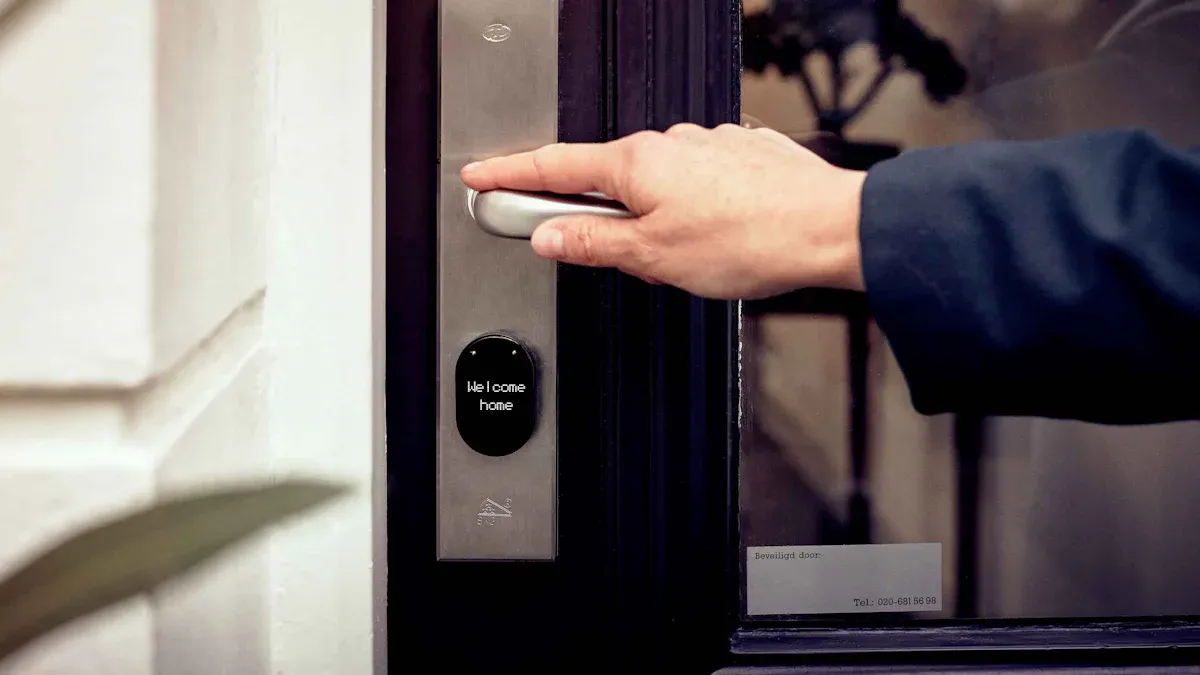
A digital door sign is a smart electronic display mounted outside a room to provide real-time information. It replaces static paper signs with a dynamic, centrally managed screen. Much like Esl Retail technology utilizes an ESL Gateway AP to update an ESL Price Tag, these devices receive instant schedule changes. The system’s core purpose is to communicate room status, meeting schedules, and other critical information instantly, eliminating confusion and improving operational flow, much like how Electronic Shelf Labels revolutionize pricing accuracy and efficiency in retail environments.
What Is a Digital Door Sign?
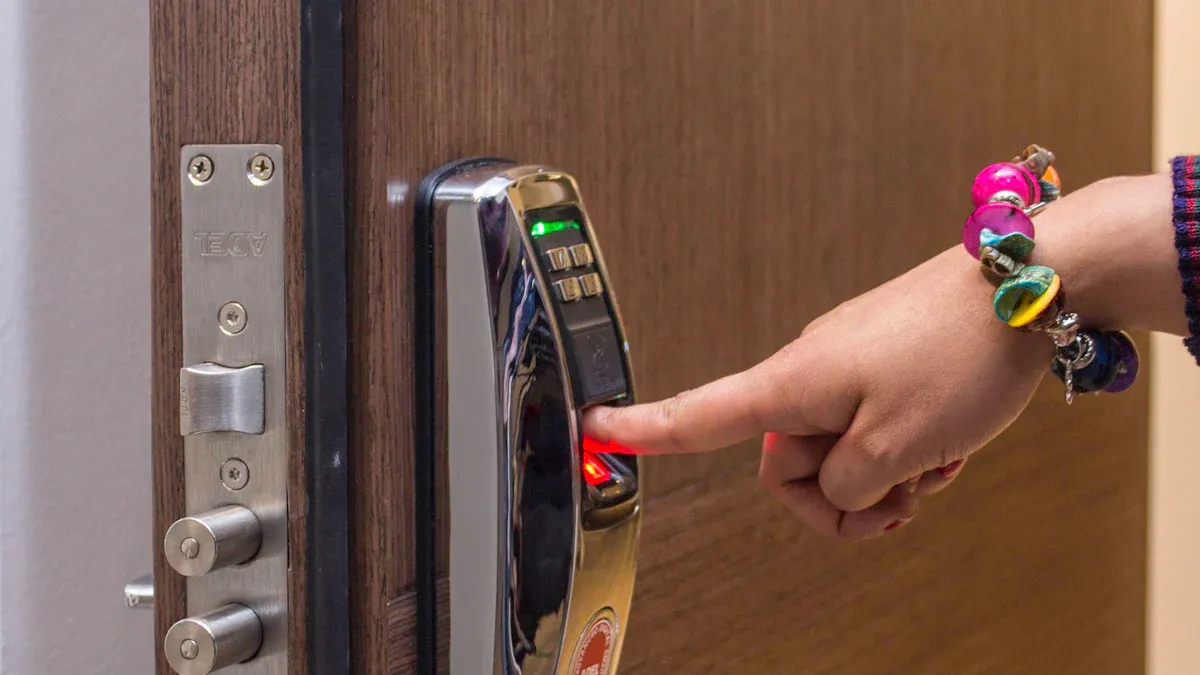
A digital door sign is a specialized device engineered for modern space management. It functions as an intelligent, networked display that provides clear, real-time information at the entrance of a room. Unlike a simple tablet, it is an integrated hardware and software solution designed for commercial environments. Understanding its core components and key differentiators reveals why it is a superior tool for professional settings.
Core Components
Every professional digital door sign is built from a set of essential, purpose-driven components that work together to deliver reliable performance.
The Display Screen (LED, LCD, E-Ink)
The screen is the most visible component of the device. Manufacturers choose from several technologies, each with distinct advantages:
- LCD/LED: These screens offer vibrant colors, high brightness, and the ability to display video. They are ideal for dynamic branding and multimedia content.
- E-Ink: An epaper display provides a glare-free, paper-like appearance that is easy to read in any lighting condition. Its primary benefit is extremely low power consumption; an epaper display only draws power when the content changes, making it highly efficient for displaying static information like schedules and room names.
The Onboard Processor
The onboard processor acts as the brain of the sign. This small computer runs the device’s operating system and application software. It receives data from the central server, processes schedule updates, and renders the information on the display. A robust processor ensures smooth performance and quick screen refreshes.
Connectivity Hardware (Wi-Fi, Ethernet)
Reliable connectivity is critical for real-time updates. These signs include hardware for connecting to an organization’s network. Wi-Fi offers installation flexibility, while a wired Ethernet connection provides a highly stable and secure link. Many devices feature Power over Ethernet (PoE), which combines data and power into a single cable.
The Mounting Enclosure
The enclosure is the physical housing that protects the internal electronics. It is designed for durability and a professional aesthetic.
Enclosures are typically made from commercial-grade materials like aluminum or high-strength polymers. They are often designed to be tamper-resistant and securely mount to various wall surfaces, including glass, drywall, and stone.
How It Differs From a Standard Tablet
While a consumer tablet can display a calendar, it lacks the essential features required for a professional, scalable room management system.
Purpose-Built for Commercial Use
Digital door signs are engineered for continuous 24/7 operation in public or semi-public spaces. Their construction withstands the demands of a busy office or healthcare facility. They omit fragile, consumer-grade features like cameras and complex buttons in favor of reliability and a singular focus on space management.
Power over Ethernet (PoE) and Reliability
The inclusion of Power over Ethernet is a major differentiator. A single Ethernet cable provides both a secure network connection and consistent power. This eliminates the need for nearby electrical outlets and removes the risk of accidental unplugging or reliance on battery life, which are common failure points for repurposed tablets.
Centralized Management Software
This is the most significant distinction. A digital door sign is part of a larger ecosystem controlled by a central software platform. This software allows administrators to:
- Manage hundreds of signs from a single dashboard.
- Integrate directly with enterprise calendaring systems.
- Push firmware updates and security patches remotely.
- Analyze room usage data across the entire facility.
A standard tablet, by contrast, is a standalone device that requires individual management, making it impractical for enterprise-wide deployment.
Key Features and Functionality of a Digital Door Sign
A modern digital door sign moves beyond a simple display to become an interactive hub for space management. Its features are designed to streamline workflows, enhance user autonomy, and provide critical real-time information at a glance. These capabilities transform how organizations utilize their physical spaces.
Dynamic Information Display
The primary function of these devices is to communicate clear, up-to-the-minute information. They eliminate the ambiguity of static signage.
Real-Time Schedule Updates
These signs integrate directly with enterprise calendaring platforms. They automatically display the current meeting’s details, including the title, organizer, and duration. The display also shows a timeline of upcoming reservations for the day, helping people plan accordingly.
Room Occupancy Status
A sign clearly indicates if a room is Available or In Use. This simple status update prevents interruptions and helps employees quickly find an open space. The visual cue is immediate and universally understood.
Custom Branding and Messaging
Administrators can customize the display to align with corporate branding. This includes displaying company logos, brand colors, and welcome messages for important clients. The screens can also broadcast general announcements or emergency alerts.
Interactive Capabilities
Many signs feature touchscreens, empowering users to interact directly with the room scheduling system. This self-service model reduces administrative burdens.
On-Screen Room Booking
An employee can walk up to an available room and book it directly from the touchscreen. The system instantly reserves the space in the central calendar, making ad-hoc collaboration seamless.
Check-In and Check-Out Functions
To combat “ghost meetings,” systems can require users to check in for their reservation.
If no one checks in within a set time frame (e.g., 10 minutes past the start time), the system automatically releases the room, making it available for others to book. Users can also check out early to free up the space ahead of schedule.
Service Requests and Alerts
Integrated workflows allow users to request assistance directly from the sign. Common requests include:
- IT or AV support
- Catering services
- Facilities or janitorial assistance
Advanced Hardware Features
Purpose-built hardware ensures reliability and extends functionality beyond what a consumer tablet can offer. These features are essential for enterprise-grade deployment.
Power over Ethernet (PoE)
PoE technology simplifies installation by delivering both power and data over a single Ethernet cable. This eliminates the need for a dedicated power outlet at each location. Different PoE standards support various device types.
| PoE Type | IEEE Standard | Max. PSE Power per Port | Guaranteed PD Power per Port |
|---|---|---|---|
| PoE+ | 802.3at | 30 W | 25.5 W |
| 4PPoE / High-Power PoE | 802.3bt | 90-100 W | 71.3 W+ |
LED Status Indicators
Many devices feature side-mounted LED lights that provide a highly visible, long-distance indicator of room status. A green light signifies availability, while red indicates the room is occupied, allowing people to see room status from down the hall.
NFC and RFID Card Reader Integration
Built-in card readers allow for secure, personalized interactions. Employees can use their existing ID badges to check in to meetings or book a room, tying the reservation directly to their identity for enhanced security and data tracking.
The Benefits of Adopting a Digital Signage System
Implementing a digital signage system delivers significant returns by boosting efficiency, elevating the user experience, and providing actionable data. Organizations that adopt this technology move beyond manual processes to create a smarter, more responsive workplace environment.
Enhancing Operational Efficiency
Automation is the core of operational efficiency. These systems streamline complex scheduling tasks, freeing up valuable human resources.
Automating Room Scheduling
A digital door sign integrates directly with calendar platforms. This connection transforms the multi-step process of booking a room and inviting attendees into a single, seamless action. The system instantly updates any changes, ensuring the displayed information is always current.
Reducing Administrative Workload
Automating scheduling tasks saves workplace teams from manual, time-consuming work. Staff no longer need to print paper schedules or field constant questions about room availability.
Sharing scheduling information on digital signage significantly reduces employee workload, enabling them to concentrate on value-added activities. This automation streamlines the scheduling process, reducing your employees’ burden. It eliminates the time spent answering scheduling questions, allowing employees to allocate their energy and skills to more valuable, revenue-generating activities.
Eliminating “Ghost” Meetings
“Ghost meetings”—booked rooms that remain empty—are a major source of inefficiency. Check-in features combat this problem by automatically releasing a room if no one arrives. This simple function dramatically improves room availability. Data shows a clear impact after implementation.
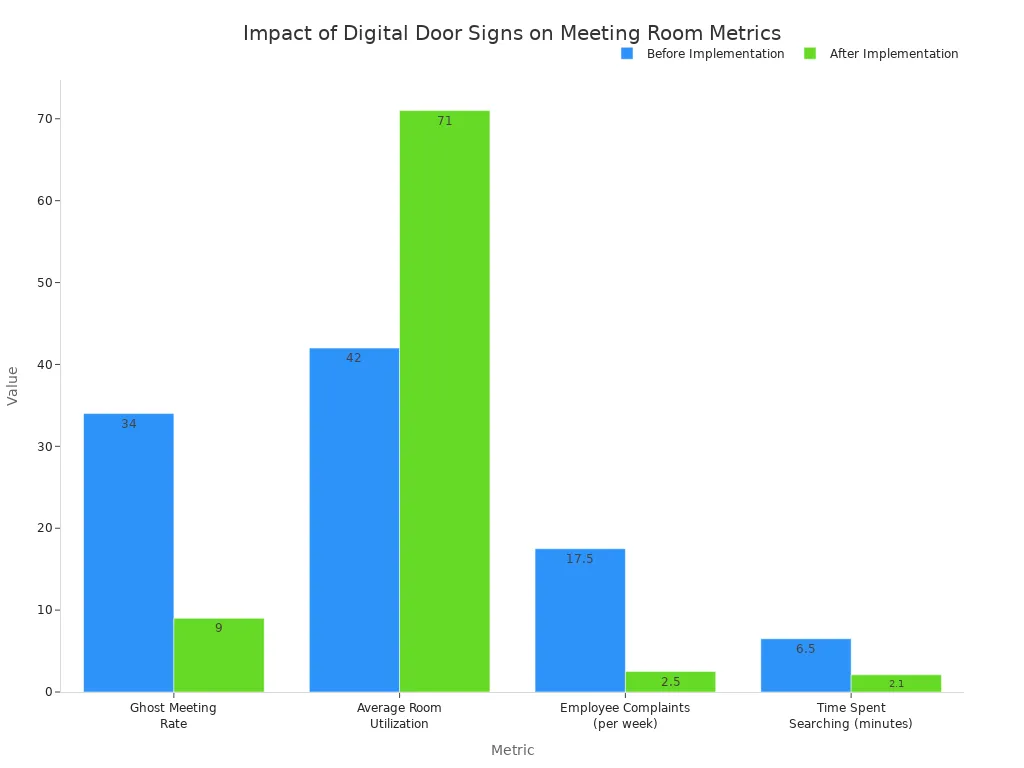
| Metric | Before Implementation | After Implementation (3 months) |
|---|---|---|
| Ghost Meeting Rate | 34% | 9% |
| Average Room Utilization | 42% | 71% |
| Employee Complaints (per week) | 15-20 | 2-3 |
| Time Spent Searching (per search) | 6.5 minutes | 2.1 minutes |
Improving the User Experience
A well-managed facility directly impacts employee and visitor satisfaction. Digital signs contribute to a positive, frictionless experience.
Providing Clear Wayfinding Information
Clear signage reduces confusion and frustration. Employees and guests can quickly identify available spaces from a distance, minimizing time spent searching for a place to meet.
Empowering On-the-Spot Booking
Interactive touchscreens empower users with autonomy. An employee can find an empty room and reserve it instantly, supporting spontaneous collaboration without needing to return to their desk.
Modernizing the Facility Aesthetic
Sleek, modern displays enhance the look and feel of an office. They signal that an organization is forward-thinking and invested in providing a high-quality work environment.
Gaining Data-Driven Insights
These systems are powerful data collection tools. They capture valuable metrics on how physical spaces are actually used.
Analyzing Room Utilization Patterns
The management software logs every booking, check-in, and cancellation. This data creates a clear picture of which rooms are most popular, what times are busiest, and how long meetings typically last.
Optimizing Space Management
Facility managers can use utilization data to make informed real estate decisions. Poor space management leads to wasted rent on unused square footage. By analyzing usage patterns, companies can:
- Identify underutilized spaces for consolidation or alternative uses.
- Recognize peak usage times to better allocate resources.
- Pinpoint redundant areas to optimize layouts and reduce costs.
One company used this data to right-size its New York office, anticipating $500K in annual savings.
Tracking Resource Usage
Data insights extend beyond room bookings. By tracking service requests made through the signs, managers can optimize the deployment of IT support, catering, and cleaning services based on actual demand patterns.
Enhancing Patient Safety in Healthcare
In healthcare settings, digital door signs are a critical tool for improving patient safety and clinical communication. They transform the doorway of a patient’s room into a dynamic information hub, providing essential data to caregivers at the point of care. This technology directly supports better outcomes by ensuring accurate, timely information is always visible.
Displaying Critical Patient Information
These signs deliver clear, standardized alerts that are crucial for safe and effective patient care. They replace unreliable handwritten notes with clear, automated digital displays.
Allergy and Precaution Alerts
Digital signs prominently display icons and text for critical patient alerts. This includes fall risks, dietary restrictions, and known allergies. This immediate visual cue ensures every staff member is aware of necessary precautions before they even enter the room, significantly reducing the risk of preventable errors.
Isolation Status and PPE Requirements
For patients under isolation protocols, the signs clearly communicate the specific status (e.g., Contact, Droplet, Airborne). They also detail the required Personal Protective Equipment (PPE).
This feature is vital for infection control. It standardizes the information for all personnel, from doctors to environmental services staff, ensuring everyone follows the correct safety procedures for these patients.
Integration with Electronic Medical Records (EMR)
The most powerful feature is direct integration with a hospital’s Electronic Medical Records (EMR) system. The signs pull data such as allergies, isolation status, and fall risk directly from the EMR. This connection automates the display of patient alerts. Staff do not need to update the signs manually. The system updates automatically, ensuring the displayed information is always synchronized with the official patient record. This seamless flow of data enhances accuracy and staff efficiency.
Improving Staff Communication
Clear and quiet communication is essential in a healing environment. Digital signs streamline the flow of information among care teams.
Reducing Verbal Interruptions
Nurses and other caregivers face constant interruptions, which can lead to errors. Digital signs answer common questions at a glance, displaying the assigned nurse or physician. This simple feature reduces the need for verbal handoffs and minimizes disruptions, allowing staff to focus on direct patient care.
Displaying Care Team Assignments
The signs can show the names and photos of the assigned care team for the current shift. This helps both patients and other staff members quickly identify the right person to contact. It fosters a sense of accountability and improves coordination among the multidisciplinary team caring for the patients.
Minimizing Infection Risks
By providing clear PPE and isolation instructions digitally, these signs reduce the need for staff to touch potentially contaminated surfaces like paper charts or whiteboards. This small change contributes to a larger infection control strategy. It helps create a safer environment for both healthcare workers and their patients.
Top Use Cases Across Industries in 2026
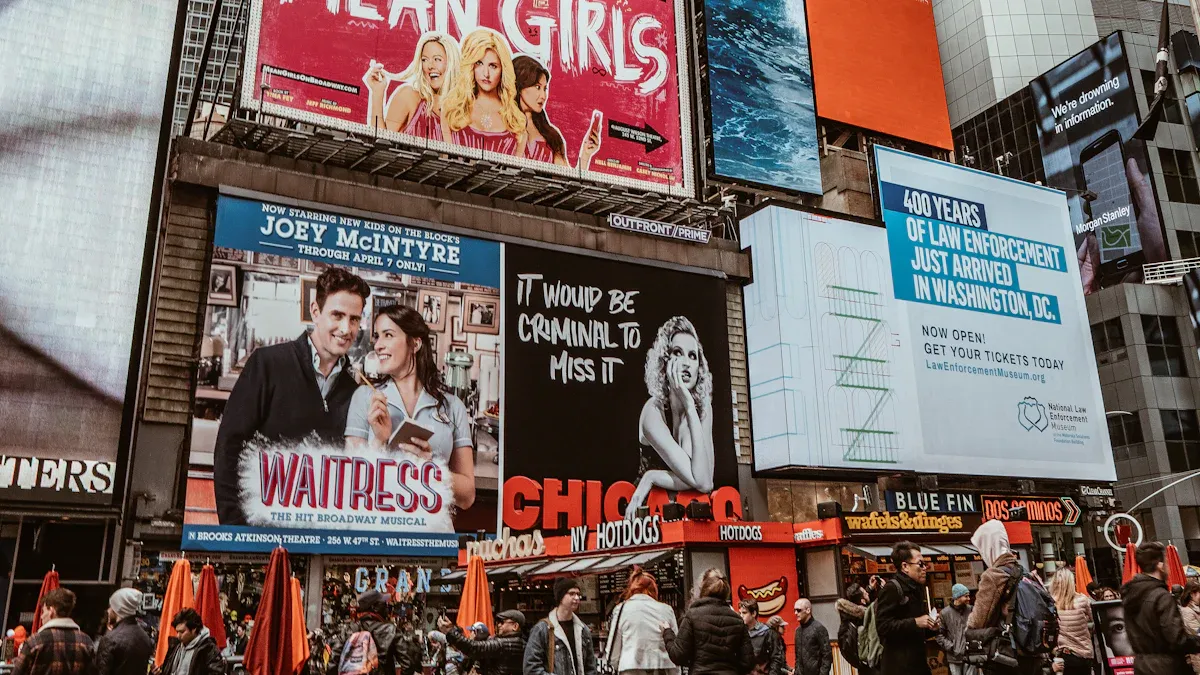
Digital door signs have become versatile tools, adapted to the unique demands of various professional environments. By 2026, their application extends far beyond simple room booking, providing specialized functions that enhance productivity, safety, and user experience across industries.
Corporate Offices
Modern corporate environments thrive on agility and efficient collaboration. Digital door signs are central to managing the dynamic flow of people and resources in these spaces.
Meeting and Conference Rooms
The primary use case for digital door signs in a corporate setting remains the management of the classic meeting room. These signs display real-time schedules pulled from platforms like Microsoft 365 and Google Workspace. They eliminate booking conflicts and provide clear information about a room’s availability, organizer, and meeting duration. Interactive touchscreens allow employees to book, extend, or end reservations on the spot, maximizing space utilization.
Huddle Spaces and Phone Booths
The rise of flexible work has increased the demand for small, unassigned spaces for quick collaboration or private calls. Digital signs make these transient spaces manageable.
- Real-time Availability Displays: Bright LED indicators or halo light projections show if a space is free from a distance.
- Instant Booking Capabilities: Employees can reserve a huddle space or phone booth directly from the touchscreen for a short period.
- Data for Optimization: The system gathers data on the usage of these small spaces, helping facility managers understand demand and plan for future needs.
- Reinforcing Wayfinding: These signs contribute to a smarter office layout, guiding employees to available resources quickly and intuitively.
Executive Offices
For executive offices, digital signs offer a blend of functionality and privacy. They can display an executive’s availability, indicating whether they are in a meeting, available for interruptions, or out of the office.
Advanced authentication features, such as NFC or HID Mobile Access, can be integrated. This allows executives or their assistants to update their status or book the office for a private meeting with a simple tap of an ID card, ensuring both security and convenience.
Healthcare Facilities
In healthcare, accuracy and clear communication are paramount. Digital door signs transition from an efficiency tool to a critical component of patient safety and clinical workflow.
Patient Rooms
As detailed previously, digital signs outside patient rooms are vital for displaying EMR-integrated data. They show critical alerts like allergies, fall risks, and isolation precautions, ensuring every caregiver has the necessary information before entering.
Examination and Consultation Rooms
Digital signs in outpatient clinics and hospital departments streamline patient flow. They display room assignments and occupancy status, which reduces wait times and enhances patient privacy. In consultation rooms, these signs can show which practitioner is using the room, preventing interruptions and helping patients and staff locate the right person. Interactive displays can also provide updates on care plans or post-visit instructions, ensuring information is accurate and accessible.
Operating Theaters
The operating theater (OT) is a high-stakes environment where information must be precise. Digital signs outside OTs serve as a central information hub for the surgical team and support staff. Key information displayed includes:
- Clear identification of the operating room number and status (e.g., In Use, Cleaning, Ready).
- The scheduled surgical procedure type.
- Patient details, with options to protect privacy as needed.
- Critical alerts for the patient, such as allergies or infection risks.
- The names of the assigned surgical team members.
- Confirmation of cleaning compliance to ensure the room is sterile and ready for the next procedure.
Education Campuses
Universities and schools use digital door signs to manage their diverse and heavily used spaces, benefiting students, faculty, and administrative staff.
Classrooms and Lecture Halls
Outside classrooms and large lecture halls, digital signs display the current class, the professor’s name, and the schedule for the entire day. This helps students confirm they are in the right place and see when the room will be free. In case of a last-minute room change or cancellation, the central system can push an update to the sign instantly, preventing widespread confusion.
University Study Rooms
Library study rooms are a high-demand resource on any campus. Digital signs allow students to see room availability at a glance and book a space directly from the touchscreen. This self-service model reduces the administrative burden on library staff and provides a fair, organized system for students to reserve study time, especially during peak periods like final exams.
Faculty Offices
Digital signs outside faculty offices help manage student interactions and office hours. Professors can easily update their status to “In a Meeting,” “Available for Students,” or “Office Hours: 2-4 PM.” This simple communication tool manages expectations, reduces unnecessary interruptions, and provides students with clear guidance on when they can meet with their instructors.
Hospitality and Event Venues
In the fast-paced hospitality sector, digital door signs are essential for managing dynamic spaces and delivering a premium guest experience. These venues leverage the technology to streamline operations, communicate event details effectively, and create new revenue opportunities.
Hotel Meeting Rooms
Hotels cater to a constant flow of corporate clients and event planners. Digital door signs outside each meeting room provide a professional touch and operational clarity. They display customized welcome messages for specific events and present organized, easy-to-read conference schedules. This streamlined communication ensures attendees know exactly where to go.
Event organizers can use remote content management systems to guarantee information is consistent and accurate across all displays. This capability allows for the easy deployment of fresh content and personalized signage for each client.
Furthermore, these signs unlock new revenue streams. Hotels can offer event space monetization by selling sponsorship opportunities on the digital displays to corporate clients. This feature maximizes the earning potential of their facilities.
Convention Center Halls
Convention centers manage vast, complex environments with thousands of attendees. Digital door signs are critical for large-scale information dissemination and crowd management. They serve multiple functions to ensure events run smoothly.
- Real-Time Schedule Syncing: The signs integrate with internal event management systems. This connection provides automatic updates for any last-minute changes to session times or locations.
- Interactive Wayfinding: Large touchscreens can function as interactive wayfinders. They help attendees navigate the sprawling venue and find specific halls or booths.
- Dynamic Information Display: The screens show more than just schedules. They can display live news, local weather, and traffic information, adding value for out-of-town guests.
- Promotional Messaging: Management can use the signs to display announcements, promotions for upcoming shows, and details about special events happening within the center.
Co-working Spaces
Co-working spaces are defined by flexibility and shared resources. Digital door signs bring order to this fluid environment, helping members find and book spaces efficiently. They manage everything from private offices to shared phone booths. The signs clearly show real-time availability, which eliminates confusion and supports a self-service culture. Members can book a space directly from the screen, and the system automatically updates the central calendar.
This technology provides clear information about the status and intended use of each space.
| Space Type | Information Displayed |
|---|---|
| Private Office | Occupant Name, Availability Status, Booking Schedule |
| Conference Room | Meeting Title, Organizer, Real-Time Schedule |
| Phone Booth | Available / In Use, Simple Touch-to-Book |
| Hot Desk Area | General Availability, Zone Information |
Integration with Your Existing Systems
A digital door sign’s true power is unlocked through its ability to integrate with an organization’s existing technology stack. This connectivity transforms it from a standalone gadget into a networked component of a smart building ecosystem. Seamless integration automates workflows, centralizes control, and maximizes the return on investment.
Connecting to Calendaring Platforms
The most fundamental integration is with enterprise calendaring systems. This connection allows the signs to pull scheduling data in real time, ensuring the information displayed is always accurate. The setup process typically involves a few key steps:
- An IoT Hub is required to manage multiple displays.
- A mobile app is installed for initial setup.
- A user account is created on the system.
- A calendar administrator account binds each display to the appropriate calendar.
- The solution runs on either a cloud or on-premise server.
Microsoft 365 and Outlook
Digital door signs integrate directly with the office365 calendar. This allows employees to book a meeting room using the familiar Outlook interface. The reservation instantly appears on the corresponding door sign. The system syncs with the office365 calendar to reflect any changes or cancellations automatically.
Google Workspace
Similar to Microsoft’s ecosystem, these systems connect seamlessly with Google Workspace. Users can schedule events in Google Calendar, and the information populates on the designated sign. This two-way synchronization ensures that bookings made on the sign also appear in the shared Google Calendar.
Microsoft Exchange Server
For organizations using on-premise solutions, digital door signs support integration with Microsoft Exchange Server. This allows businesses with specific security or infrastructure requirements to leverage the same automated scheduling benefits as cloud-based platforms, including updates to the office365 calendar.
Integrating with Building Management Systems
Advanced integrations connect door signs to broader building management systems (BMS), creating a more responsive and efficient facility.
Access Control Systems
When linked with access control, the door sign can work with employee ID badges (NFC/RFID). A user might need to tap their badge to check in, confirming their identity and unlocking the door for the duration of their booking.
Lighting and HVAC Automation
Integration with lighting and HVAC systems promotes energy efficiency. When a user checks into a room, the system can automatically turn on the lights and adjust the temperature. When they check out, it can return the room to an energy-saving state.
Emergency Alert Systems
In an emergency, the signs can become a critical part of a facility’s mass notification system. They can display evacuation instructions, shelter-in-place warnings, or other urgent alerts pushed from a central security platform.
Leveraging APIs for Custom Solutions
Application Programming Interfaces (APIs) offer limitless potential for customization, allowing organizations to connect digital signs to virtually any software.
Connecting to Internal Software
Companies can use APIs to link door signs with proprietary, in-house software. This enables the display of specialized data relevant to their unique operations, such as project codes or internal client names.
Developing Unique Workflows
APIs empower the creation of unique, automated workflows that solve specific business challenges. These custom solutions can trigger display changes based on actions in other applications.
- A message in a specific Slack channel can trigger a welcome message on a sign.
- Updating a project milestone in Asana can display team achievements on a common area screen.
- Closing a deal in Salesforce can trigger a company-wide sales celebration message.
Integrating with HR and IT Systems
Integration with HR and IT systems streamlines communication. For example, connecting to an HR platform can automate the display of welcome messages for new hires on their first day. Linking to an IT ticketing system can allow users to report an issue directly from the sign.
Implementation: What You Need to Get Started
Deploying a digital door sign system requires careful planning across hardware, software, and physical installation. A successful implementation ensures the technology meets organizational needs from day one and scales for the future.
Choosing the Right Hardware
The physical device is the foundation of the system. Organizations must select hardware that fits their environment and use case.
Screen Size and Resolution
Screen size and resolution determine content legibility. Larger screens are ideal for conference rooms viewed from a distance. High-resolution displays render crisp text and vibrant brand logos, enhancing the professional aesthetic.
Interactivity Requirements
A key decision is whether to use static displays or interactive touchscreens. Touchscreens empower users with on-the-spot booking and check-in functions, which can increase engagement by up to 60%. Static displays are a cost-effective choice for simply conveying information.
Connectivity Needs (Wi-Fi vs. PoE)
Connectivity choices impact installation and reliability. Wi-Fi offers flexibility in placement, while Power over Ethernet (PoE) provides a highly stable, single-cable solution for both data and power, eliminating the need for a nearby electrical outlet.
Selecting the Management Software
The software platform is the brain of the operation. It dictates functionality, scalability, and administrative overhead.
Cloud-Based vs. On-Premise
Organizations must choose between a cloud-hosted or an on-premise software solution. Each model presents distinct advantages and trade-offs.
| Feature/Aspect | Cloud-Based Management Software | On-Premise Management Software |
|---|---|---|
| Pros | Remote access; automatic updates; easy to scale | Full local control; no internet needed for use |
| Cons | Requires internet; ongoing subscription fees | Higher upfront costs; requires manual updates |
Feature Set and Scalability
The software must support the organization’s current needs and future growth. Key features for a scalable solution include:
- Centralized Management: A single dashboard to control all signs remotely.
- Integration Capabilities: APIs to connect with calendars, building systems, and other software.
- User Access Control: Tools to manage permissions for different user roles.
- Audience Analytics: Reporting features to analyze room utilization data.
Vendor Support and Updates
Reliable vendor support is crucial for troubleshooting and long-term maintenance. The provider should offer regular software updates and security patches to keep the system secure and functional.
Planning the Installation
Proper installation ensures the signs are visible, accessible, and compliant with regulations.
Network Infrastructure Assessment
The facility’s network must be ready. For PoE, this means confirming network switches can supply adequate power. For Wi-Fi, it requires verifying strong and stable signal strength at each sign location.
Power Source Availability
Planners must map out power sources. PoE simplifies this process significantly. For Wi-Fi or non-PoE devices, an electrical outlet must be available near each mounting point.
Physical Mounting and Placement
Correct placement is essential for visibility and accessibility. To comply with standards like the Americans with Disabilities Act (ADA), organizations should follow specific guidelines.
Signs should be mounted on the latch side of the door. The baseline of the lowest tactile character must be between 48 and 60 inches from the finished floor. A clear floor space of at least 18 by 18 inches must be maintained in front of the sign, outside the arc of the door swing.
A digital door sign has evolved beyond a simple gadget to become critical infrastructure for modern space management. These systems deliver a tangible return on investment through improved efficiency, optimized space utilization, and an enhanced user experience. As Valley Health System’s CIO Eric Carey noted, the ROI is clear.
“Everything about this investment is paying off. I’m paying it back with no question,” said Eric Carey, vice president and CIO of Valley Health System. “The ROI is absolutely there.”
As facilities become more dynamic, these signs serve as a cornerstone for intelligent, data-driven building management.
FAQ
How do these signs improve workplace communication?
They provide clear, real-time updates on room status and schedules. This visual communication reduces interruptions and streamlines staff interaction. Effective communication is a key benefit for any efficient workplace.
Can digital signs be used without an internet connection?
On-premise systems can operate on a local network without internet access. However, cloud-based solutions require an internet connection for real-time updates and remote management. This ensures constant communication.
What makes digital signs better for safety in hospitals?
They display critical patient information directly from the EMR. This immediate access to safety alerts, like allergies or fall risks, enhances patient safety and supports better clinical communication.
How long does a typical installation take?
Installation time varies based on the setup.
- Power over Ethernet (PoE): Usually under an hour per device.
- Wi-Fi Models: Often quicker, but requires a nearby power outlet.
What kind of information can be displayed?
The signs can show schedules, occupancy status, custom branding, and welcome messages. In healthcare, they display patient alerts. This information supports clear communication and operational awareness.
Are digital door signs secure?
Yes. Professional systems include enterprise-grade security features. Administrators manage user access, and data transmission is encrypted. This protects sensitive information and ensures secure communication.
How do they integrate with existing calendars?
They connect directly to platforms like Microsoft 365 and Google Workspace. The system syncs automatically, ensuring that bookings made in the calendar or on the sign are reflected everywhere for seamless communication.