
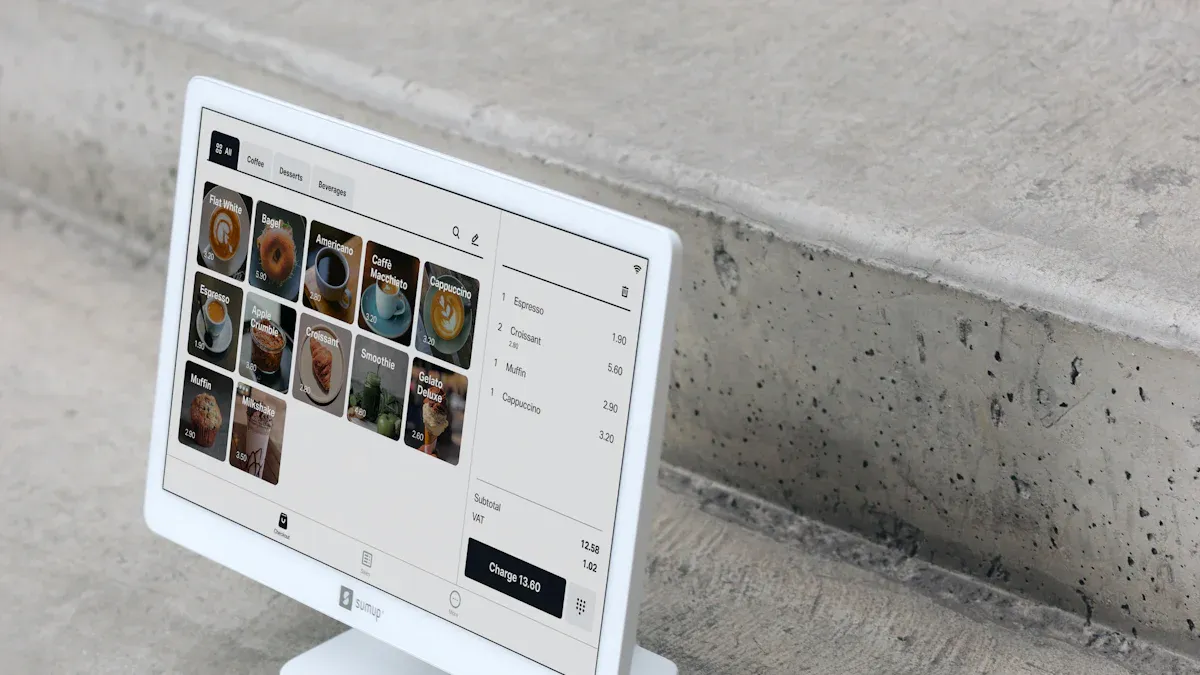
When you calculate pos system expenses, you must consider every detail, from initial expenses like hardware and software to ongoing costs for maintenance and payment processing. The average pos system cost depends on your business size, industry, and required features. For example, the average price of a pos system for small shops ranges from $70 to $250, while large enterprises may pay $1,300 to $19,000+.
| Business Size | Average Total Cost Range |
|---|---|
| Startups and small shops | $70 to $250 |
| Small to medium businesses | $570 to $3,150 |
| Medium to large retailers | $940 to $5,200 or more |
| Large enterprises | $1,300 to $19,000+ |
You should get quotes from multiple providers to compare pos system cost and avoid hidden fees. Costs often include hardware such as Electronic Shelf Labels, ESL Gateway AP, and ESL Price Tag, especially in Esl Retail environments. Here’s a quick look at how costs break down:
| Cost Component | Details |
|---|---|
| Hardware Costs | Devices like POS terminals, tablets, barcode scanners; $80 to $1,500 |
| Software Costs | Subscription plans; $29 to $300+ per month |
| Payment Processing | 2.5%–2.9% plus $0.10 per transaction |
| Add-Ons | Loyalty programs, advanced reporting; $20–$100 per month |
| Setup and Maintenance | Installation: $0–$1,000; ongoing support: $20–$50 per month |
Cost Components of a POS System
Hardware Cost
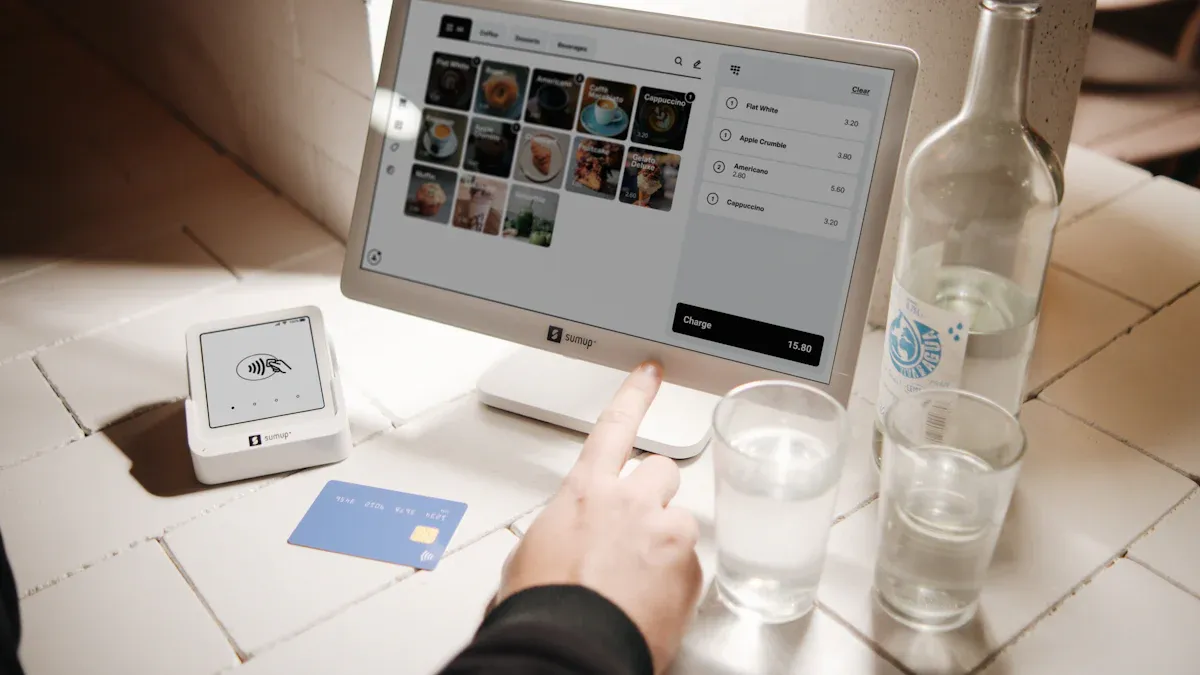
When you evaluate the initial cost of a pos system, hardware is often the largest upfront expense. The cost components of a pos system include essential devices such as terminals, cash drawers, card readers, barcode scanners, and receipt printers. You may also need customer-facing displays or kitchen display systems, especially in restaurants. The total cost of a pos system depends on the number and type of devices you select.
| POS system equipment | Typical price range |
|---|---|
| Terminal | $200 – $6,500 or more |
| Cash drawer | $150 |
| Card reader | $50 |
| Barcode scanner | $200 – $350 |
| Receipt printer | $300 – $400 |
| Customer facing display | $150 – $800+ |
You can expect pos hardware costs to vary by industry. Retail businesses often require barcode scanners and receipt printers for inventory management, while restaurant pos system costs may include handheld terminals and kitchen display screens. The overall cost will increase if you operate multiple stations or locations. Bundle deals sometimes help reduce the total pos system cost.
Tip: Always compare hardware pricing from several providers to avoid overspending and ensure compatibility with your pos software.
Software Cost
Software is a recurring expense that affects your monthly subscription fee and overall pricing. Most pos software plans offer tiered pricing based on features and business size. Basic packages cover essential sales and inventory functions, while premium plans include advanced management tools, loyalty programs, and integrations.
| Plan Type | Monthly Cost (Billed Annually) | Monthly Cost (Billed Monthly) | Best For |
|---|---|---|---|
| Lightspeed Retail Basic | $89 | $109 | Small businesses needing essential POS functionalities |
| Lightspeed Retail Standard | $149 | $179 | Growing retailers with moderate inventory needs |
| Lightspeed Retail Advanced | $289 | $339 | Medium to large retailers requiring advanced management |
| Lightspeed Restaurant Basic | $189 | N/A | Small cafes and single-location restaurants |
| Lightspeed Restaurant Standard | $399 | N/A | Growing restaurants needing substantial management |
| Lightspeed Restaurant Custom | Customized pricing | N/A | High-volume and multi-location establishments |
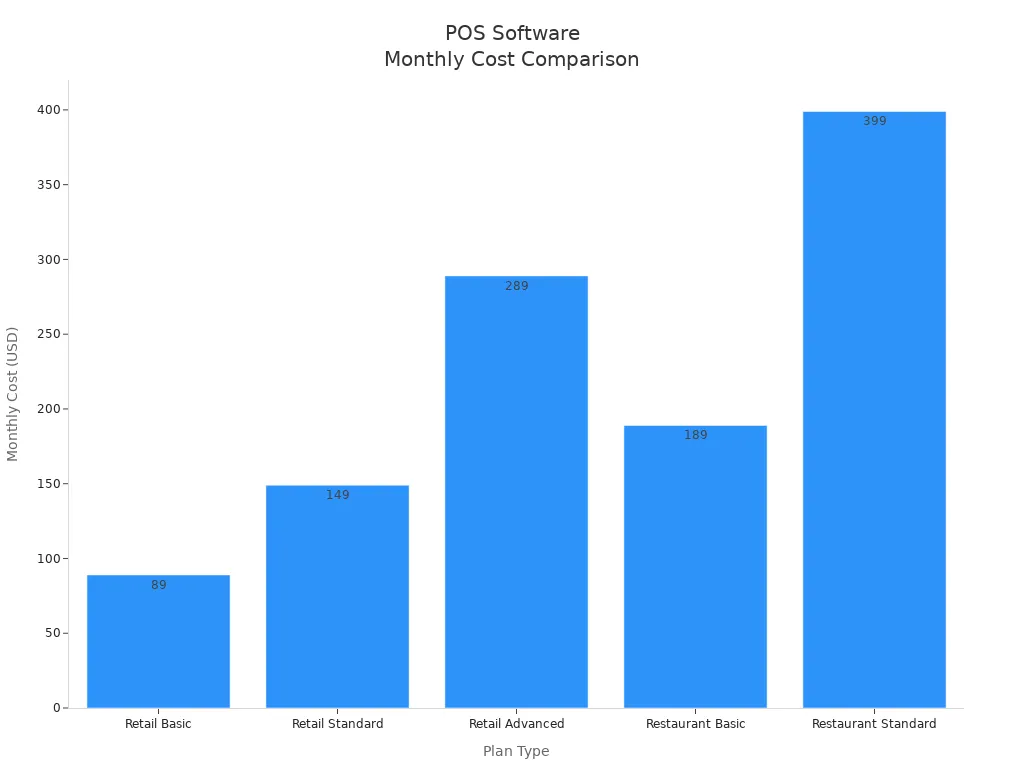
You should review pos software costs carefully. Premium packages may include features such as security camera integration, employee time clock, ecommerce, and advanced data analytics. These features can increase the total cost of a pos system, but they may be necessary for your business operations.
Payment Processing Costs
Payment processing fees are a critical part of pos system cost. Providers typically charge a percentage of each transaction plus a fixed fee. You must consider credit card processing fees, debit card fees, and mobile payment charges when calculating the total pos system cost.
| Provider | In-Person Fees | Remote Fees |
|---|---|---|
| Provider A | 2.6% + 10 cents | 30 cents |
| Provider B | 2.6% + 10 cents | 1.7% |
| Provider C | 2% – 2.5% | N/A |
| Average | 2-3% | 3-4% |
You will encounter different pricing structures depending on the provider and payment type. Debit card transactions may involve interchange fees, association fees, and processor markups. Some states allow surcharges for debit card usage, which can affect your overall cost. Always review transaction fees and payment processing fees in your contract to avoid unexpected costs.
Add-Ons and Integration Costs
You should evaluate add-ons and integration costs when calculating the total pos system cost for your business. Many providers offer extra features such as loyalty programs, advanced analytics, and third-party integrations. These add-ons can enhance your operations, but they often introduce hidden expenses that erode profit margins. Fees for integrating with accounting software, ecommerce platforms, or inventory management systems can increase your overall cost. Frequent hardware replacements and software upgrades also contribute to the financial burden.
- Integration costs may include:
- Monthly fees for third-party apps
- One-time charges for custom integrations
- Ongoing software subscriptions for advanced features
Tip: Review all integration options before committing to a provider. Unplanned costs can quickly add up and impact your bottom line.
Setup and Installation Cost
Installation and setup costs vary depending on your chosen POS system. You may encounter setup fees for custom menu builds, remote installations, or on-site services. The following table outlines typical pricing:
| Installation Type | Cost Range |
|---|---|
| Custom Menu Build | $400+ |
| Remote POS Installation | $50-80 per hour |
| On-site POS Installation | $100+ per hour |
Cloud-based POS systems usually require minimal setup, making them ideal for small businesses. You only need software configuration and an internet connection. On-premise systems demand a larger upfront investment, including hardware purchase and technical expertise for installation. These systems may disrupt operations during setup and require long-term commitment.
- Cloud-based POS: Lower upfront costs, ongoing subscription fees ($50–$300/month per terminal)
- On-premise POS: Higher initial costs, ongoing support and upgrade expenses
Ongoing Maintenance and Support Costs
Ongoing maintenance and support costs are essential cost components of a pos system. You must budget for regular maintenance, technical support, security updates, and hardware repairs. Training and onboarding for employees also add to your overall cost. The table below summarizes typical annual expenses:
| Cost Type | Description |
|---|---|
| Setup & Maintenance Fees | Installation, onboarding, training, and support |
| Maintenance and Repair Fees | Technical support, security updates, hardware repairs |
| Training and Onboarding | Employee training ($200-$1,000 for small businesses) |
Maintenance costs depend on your provider and service agreement. Pre-purchasing maintenance allows for predictable costs and easier budgeting. Service contracts often prioritize your support requests and grant access to software updates. Preventative maintenance can lower long-term expenses and foster a reliable partnership with your provider.
Factors That Influence POS System Cost
Business Size and Number of Locations
Your business size and the number of locations play a major role in determining pos system cost. As you add more locations, you need extra terminals and hardware, which increases your total costs. Providers sometimes offer bundled pricing for multi-location businesses, but you may still face higher expenses due to separate hardware and software setups at each site.
- The need for additional terminals and hardware increases costs with each new location.
- Providers may offer bundled pricing, which can affect the overall expense when adding locations.
- Separate hardware and software setups for each location can lead to higher total costs.
Multi-location businesses usually require more registers and advanced features for centralized management. Some pos vendors charge extra for each additional location, while others offer unlimited location plans. The table below highlights the differences:
| Business Type | Cost Factors | Additional Features Required |
|---|---|---|
| Single-location | Lower costs due to fewer registers and simpler needs. | Basic functionalities only. |
| Multi-location | Higher costs due to more complex functionalities and additional terminals. | Employee scheduling and centralized management. |
A multi-location pos system helps you manage sales, inventory, and customer data across all your sites. This centralized approach increases complexity and cost, but it is essential for growing businesses.
Industry and Business Type
The industry you operate in also affects your pos pricing. Restaurant pos system costs often exceed those for retail or salons because restaurants need features like kitchen display systems (KDS), menu customization, and table management. The cost of a restaurant pos system can range from hundreds to thousands of dollars monthly, depending on your requirements.
- POS system costs vary by industry due to specific needs and features.
- Restaurant pos system costs are generally higher than those for salons, reflecting larger inventories and additional equipment requirements.
- Retail systems focus on inventory and multichannel support, while restaurant systems prioritize KDS, menu customization, and table management.
You should consider these differences when evaluating pos pricing for your business type.
Required Features and Customization
The features you need and the level of customization you require will impact your overall cost. Advanced pos software with deep inventory management, analytics, and third-party integrations usually comes at a higher price. Customization often involves modifications to meet your unique business needs, which increases development and support costs.
| Feature Type | Description |
|---|---|
| Advanced UI/UX Design | Requires extensive work from design experts and development teams, increasing overall costs. |
| Third-party Integrations | Integrating with various solutions like accounting and CRM systems can significantly raise costs. |
| Security and Compliance | Meeting data protection requirements necessitates high-level security measures, adding to expenses. |
| Industry-specific Features | Features like table-side ordering in restaurants require advanced development, increasing costs. |
Custom features and tailored reports can drive up the cost of your pos system. You may also see higher payment processing fees and credit card processing fees if you require advanced integrations or security measures. Always review your needs carefully to avoid unnecessary costs and ensure your pos pricing aligns with your budget.
Transaction Volume and Usage
Your transaction volume directly influences the total costs of your pos system. When you process more orders, you pay higher transaction fees each month. Payment processing fees usually take the form of a percentage, a fixed fee, or a blended rate charged by your payment gateway provider. You must evaluate these pricing structures carefully because they can significantly impact your overall expenses.
| Evidence Description | Impact on Costs |
|---|---|
| The amount you pay each month in transaction fees depends on the number of orders you process at your point of sale. | Higher transaction volumes lead to increased transaction fees, affecting overall expenses. |
| Payment transaction fees are a percentage, fixed, or blended fee charged by the payment gateway provider for processing a transaction. | Variability in fees based on transaction volume necessitates careful selection of payment processors. |
| Choosing a POS system with integrated payment processing simplifies your monthly costs, streamlines the customer experience, accelerates payouts, and reduces inaccuracies in your reporting due to human errors. | Integrated payments can reduce costs and improve efficiency, especially with higher transaction volumes. |
You should consider how your business usage patterns affect pos pricing. High-usage businesses often face increased software costs, hardware expenses, and payment processing fees. The following table outlines typical cost categories for businesses with high transaction volumes:
| Cost Category | Description |
|---|---|
| Software Costs | Monthly subscription costs ranging from $0 to $200, depending on provider and features needed. |
| Hardware Costs | Costs for equipment like card readers ($0 to $300), cash registers ($39 to over $1,500), etc. |
| Payment Processing Fees | Fees range from 1.5% to 3.5% per transaction, which can significantly impact overall costs. |
| Additional Costs | Installation fees ($0 to $700), add-ons, and integrations can add to the total investment. |
| High-Volume Business Costs | Annual costs for large businesses can range from $10,000 to $50,000+, depending on scale. |
| Opportunity Costs | Time spent managing systems and potential lost sales due to limitations can affect profitability. |
As your transaction volume grows, you may encounter extra expenses beyond standard pricing. You should prepare for the following:
- Customization costs for tailoring your pos system to your business needs.
- Security and compliance costs to meet industry standards.
- Downtime costs from emergency IT support during system failures.
- Staff training costs to reduce errors and fraud.
- Upgrade costs for new software versions and hardware as your business expands.
Tip: You can lower your total cost by selecting a pos system with integrated payment processing. This approach streamlines your monthly costs and improves reporting accuracy.
You must analyze your transaction volume and usage patterns before choosing a pos system. This step helps you estimate your monthly and annual costs, avoid unexpected expenses, and select the right pricing model for your business.
Step-by-Step Guide to Calculate POS System Cost
List and Price Each Cost Component
To calculate pos system expenses accurately, you need to itemize every component. Start by listing all hardware, software, and service elements that contribute to your total cost. Use a table to organize these details for clarity and easy reference.
| Cost Component | Description |
|---|---|
| Payment processing fees | Fees associated with accepting credit and debit card payments, which can vary by vendor. |
| Number of user accounts | Costs increase with the number of staff accounts needed for the POS system. |
| Number of registers | Additional costs for extra registers, especially for businesses with multiple locations. |
| Card reader | Essential for processing payments; higher-end models are recommended for security and functionality. |
| Add-on features | Additional services like advanced reporting and loyalty programs that incur extra charges. |
You should also consider using tools or templates to streamline this process. For example, Fyle helps you capture and categorize all pos system costs. With Fyle, you can:
- Instantly capture hardware invoices using a mobile app.
- Track recurring software subscriptions through corporate card transactions.
- Centralize key documents, such as warranties and subscription agreements, with expense records.
- Automate accounting by syncing costs to your general ledger in platforms like QuickBooks or Xero.
By organizing each cost component, you create a foundation for transparent pricing and better budgeting.
Estimate Monthly and Annual Costs
Once you have listed all components, you need to estimate both monthly and annual costs. This step ensures you understand the ongoing financial commitment and can compare different pricing plans effectively. Use the following table to guide your calculations:
| Component | Cost Range |
|---|---|
| POS Hardware | $50 – $3,000 |
| POS Software | Free – $300/month |
| Payment Processing Fees | Varies by model (flat-rate or interchange-plus) |
Calculate your monthly costs by adding up software subscriptions, payment processing fees, and any recurring add-on charges. Multiply these by twelve to project your annual expenses. Remember to include one-time hardware purchases and installation fees in your first-year budget. This approach gives you a clear picture of your total investment and helps you compare different pos pricing models.
Tip: Always review your provider’s pricing structure. Some plans offer lower upfront costs but higher monthly fees, while others require a larger initial investment with reduced ongoing expenses.
Identify Hidden and Extra Costs
Many businesses overlook hidden or extra costs when they calculate pos system expenses. These can significantly impact your budget if you do not plan for them. Watch for the following common pitfalls:
- Proprietary hardware expenses, especially when you need additional terminals.
- Add-ons for advanced features, which can increase your total cost beyond the basic plan.
- Payment processing fees, such as 2.99% + $0.15 per transaction, which accumulate over time and affect profitability.
Training staff on a new pos system often leads to underestimated costs. Even user-friendly systems require training to ensure employees use all features efficiently. Expenses can include training sessions, productivity loss during onboarding, and ongoing training for new hires.
Compatibility issues with your existing business systems may also create unforeseen expenses. If your new pos system does not integrate well, you might need to hire IT professionals to resolve integration challenges. In some cases, you may need to replace incompatible systems or adjust workflows, which can strain your budget.
Note: Always review your provider’s documentation and ask about potential extra costs before signing a contract. This step helps you avoid surprises and ensures your pos system pricing aligns with your financial goals.
Use a Cost Checklist
When you calculate pos system expenses, you need a reliable method to avoid missing important details. A cost checklist helps you track every expense and prevents unexpected costs from disrupting your budget. You can use this tool to compare pricing, clarify support policies, and optimize your investment.
Start by listing each cost category. You should include setup, support, payment processing, and integration fees. A checklist allows you to review all components before you commit to a provider. This approach ensures you do not overlook hidden costs or underestimate ongoing expenses.
Here is a sample cost checklist you can use when evaluating pos systems:
| Cost Category | Description |
|---|---|
| Setup Costs | Includes potential fees for installation, which can vary significantly based on business size and needs. |
| Support Costs | Ongoing support may be included in subscription fees, but premium support can incur additional costs. |
| Payment Processing Fees | Transaction fees vary based on payment type and volume, impacting overall expenses. |
| Third-Party Integration Fees | Costs for integrating additional features can range widely, necessitating careful evaluation. |
| Costs-Optimization Tips | Strategies to manage and optimize costs, such as comparing pricing plans and clarifying support policies. |
You should use this checklist to calculate pos system expenses for your business. Review each line item and ask your provider for a breakdown of all costs. This step helps you understand the total cost and compare different pricing plans. You can identify areas where you might save money or negotiate better terms.
Tip: Always clarify what support services are included in your subscription. Some providers offer basic support, while others charge extra for premium assistance. You should confirm these details before you sign a contract.
A cost checklist also helps you plan for future upgrades and integrations. You can track which features you need now and which you might add later. This strategy keeps your pos system flexible and scalable as your business grows.
You should update your checklist regularly. As your business changes, your needs will evolve. Reviewing your costs and pricing ensures you stay within budget and avoid surprises. You can use this checklist to calculate pos system expenses every year and adjust your plans as needed.
By using a cost checklist, you gain control over your pos investment. You can compare providers, optimize your costs, and make informed decisions that support your business goals.
Comparing POS System Costs and Providers

Subscription vs. One-Time Cost Models
When you compare pos pricing, you must decide between subscription-based and one-time payment models. Subscription plans offer lower initial cost and flexible options for scaling your business. You pay monthly fees that can accumulate over time. One-time payment models require a higher upfront investment but eliminate recurring fees. You gain full ownership of your pos system and avoid ongoing payments. The table below highlights the main differences:
| Feature | One-Time Payment POS | Subscription-based POS |
|---|---|---|
| Upfront Cost | Higher upfront cost | Lower initial cost |
| Recurring Fees | No recurring fees | Monthly fees can accumulate over time |
| Ownership | Full ownership of the system | No ownership, ongoing payments required |
| Flexibility | Less flexibility for upgrades | Flexible plans that allow scaling |
| Updates and Support | Often includes updates and support | Regular updates and support included |
| Ideal For | Businesses preferring full ownership | Businesses looking for lower initial costs |
Tip: Choose a model that matches your cash flow and long-term goals. Subscription plans suit businesses that want to minimize upfront cost and scale quickly.
Popular POS Providers and Their Costs
You should review the leading pos providers to understand their pos pricing and features. Each provider offers unique plans and cost structures. Square uses a transaction-based model, making it ideal for small businesses. ShopKeep and BPA POS combine hardware and monthly software fees, providing more advanced features. The table below summarizes current options:
| Provider | Cost Structure | Features Offered |
|---|---|---|
| Square | 2.75% to 2.5% + 10¢ per transaction | Free hardware options, various payment processing options, suitable for small businesses. |
| ShopKeep | $1,369 for hardware, $60-$80/month | Inventory management, CRM tools, e-commerce integrations, marketing features, analytics tools. |
| BPA POS | $1,575 for all-in-one system, $55/month | Unlimited tech support, software updates, cloud backup, optional hardware add-ons available. |
You must consider credit card processing fees when evaluating pos system cost. These fees impact your monthly expenses and overall profitability. Compare plans and features to find the best fit for your business needs.
What to Look for in POS System Contracts
Before you commit to a provider, review the contract terms carefully. Contracts should specify hardware and pos software requirements, implementation details, and support policies. You need clear cost transparency to avoid hidden costs. Data security and ownership clauses protect your customer information. Contract duration and termination policies define your rights if you need to switch providers. Use the table below as a checklist:
| Key Contract Terms | Description |
|---|---|
| Hardware and Software Requirements | Specify the make and model of hardware components and software features, ensuring compatibility. |
| Implementation and Support Details | Outline installation responsibilities, training for staff, and ongoing technical support. |
| Cost Transparency | Ensure all fees are clearly defined to avoid hidden costs. |
| Data Security and Ownership | Define security measures and ownership of customer data to mitigate risks. |
| Contract Duration and Termination Policies | Specify notice periods, termination for cause, and handling of data upon contract termination. |
Note: Always ask for a detailed breakdown of all costs and review contract terms before signing. This step helps you avoid surprises and ensures your pos pricing matches your expectations.
You need to evaluate every cost when selecting a pos system for your business. Careful comparison of costs and thorough review of pricing details in contracts help you avoid surprises.
- Create a checklist for all expenses before making a decision.
- Request transparent pricing from providers.
Tip: Set a clear budget and choose a pos solution that matches your operational needs.
FAQ
What is the average cost of a POS system for a small business?
You can expect to pay between $70 and $250 for a basic setup. This range covers essential hardware and software. Costs may increase if you add more features or require advanced integrations.
How often do you need to upgrade your POS hardware?
You should plan to upgrade your hardware every three to five years. Regular upgrades help you maintain system reliability and security. Always check with your provider for specific recommendations.
Are there any hidden fees with POS systems?
You may encounter hidden fees for payment processing, add-ons, or premium support. Always review your contract and ask providers for a detailed breakdown of all costs before you commit.
Can you use your existing hardware with a new POS system?
You can sometimes use existing hardware if it meets compatibility requirements. Check with your POS provider to confirm which devices work with their software.