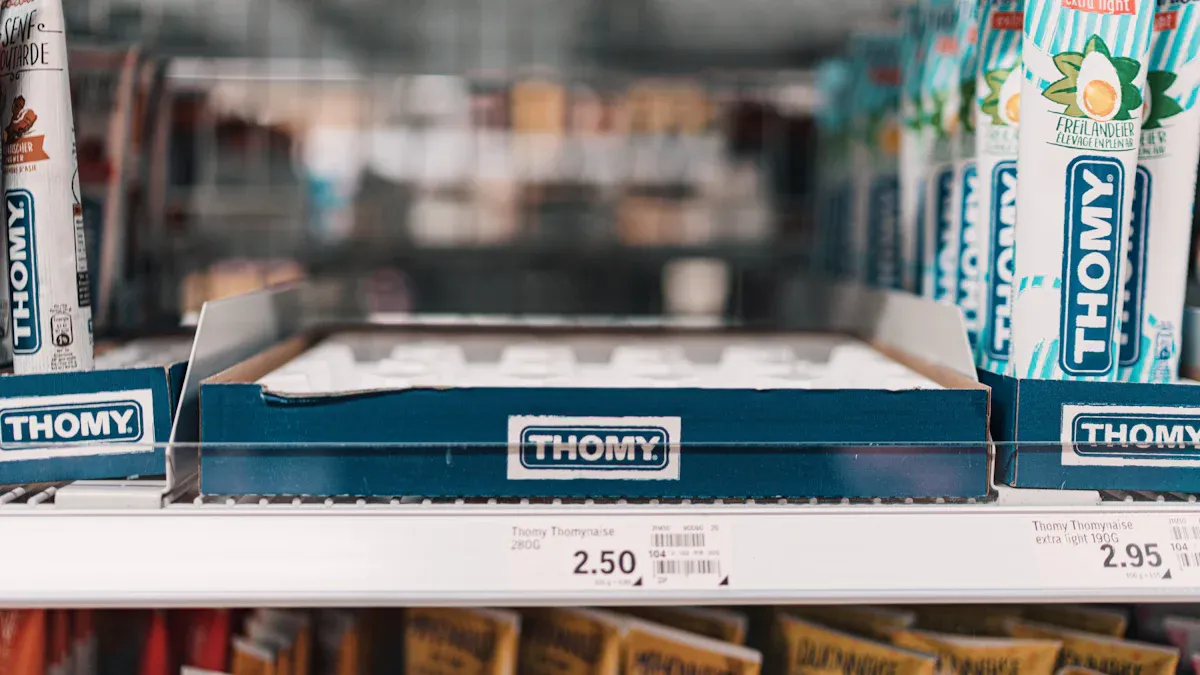
You encounter a shelf label directly at the point of purchase. It communicates critical product information, most importantly the price. Beyond simple paper tags, modern shelf labels have evolved significantly. In an Esl Retail setting, an ESL Gateway AP sends wireless updates to each ESL Price Tag on the floor. This system allows advanced Electronic Shelf Labels to streamline store operations while providing you with accurate, real-time data for your purchasing decisions.
What Information Do Shelf Labels Provide?
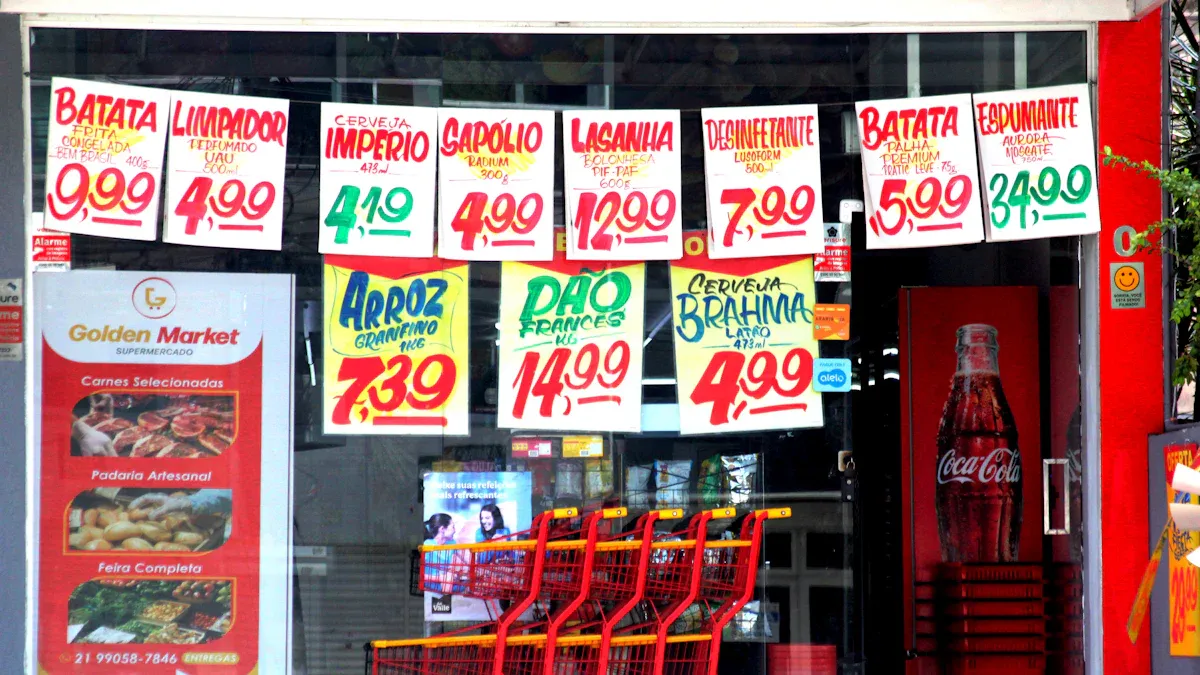
An effective shelf label does more than just state a price. It serves as a compact, powerful communication tool, delivering distinct sets of information to two key audiences: you, the customer, and the retail staff managing the store. This data works to create a transparent shopping environment and a highly efficient operational backbone. Let’s break down the layers of information packed into these small but mighty tags.
Essential Data for the Customer
When you look at a shelf label, you are searching for quick, clear answers to help you make a purchase decision. Retailers design these labels to provide the most critical information at a glance.
Price and Unit Pricing
The most prominent piece of information is, of course, the selling price. This tells you the total cost for the item. However, many labels also include a unit price. This breaks down the cost into a standard unit of measurement, such as per ounce, per pound, or per 100 milliliters.
Why Unit Pricing Matters Unit pricing is a powerful tool for value comparison. It allows you to accurately determine which product offers a better deal, regardless of package size. For example, you can easily see if the larger “family size” box of cereal is truly cheaper per ounce than the smaller one. In the United States, unit pricing laws vary by state, with jurisdictions like Maryland and Massachusetts mandating it for grocery stores. The European Union, through Directive 98/6/EC, requires it across all member states, ensuring you can make informed economic choices.
Product Name and Brand
The label clearly identifies the product by its name and brand. This helps you quickly confirm you have found the correct item, distinguishing between, for instance, “Brand A Organic Ketchup” and “Brand B Spicy Ketchup.” This simple identifier prevents confusion and speeds up your shopping trip.
Size, Weight, or Volume
To help you understand exactly what you are buying, the label specifies the net quantity of the product. This is displayed as a weight (e.g., 16 oz), volume (e.g., 2 Liters), or count (e.g., 12-pack). This information is crucial for applying unit pricing and ensuring you select the product size that best fits your needs.
Operational Data for the Retailer
Beyond customer-facing details, shelf labels contain a wealth of data that is indispensable for store operations. This information helps employees manage inventory, restock shelves, and ensure accuracy behind the scenes.
Barcodes (UPC/EAN)
The scannable barcode, typically a Universal Product Code (UPC) or European Article Number (EAN), is a universal identifier. While you might use a store’s mobile app to scan it for more information, its primary function is operational. Staff use handheld scanners to read these barcodes for tasks like price verification, inventory counts, and processing returns.
Stock Keeping Units (SKUs)
A Stock Keeping Unit (SKU) is an internal alphanumeric code unique to a specific retailer. Unlike a universal UPC, the SKU is created by the business to track its own inventory. It encodes details like product type, size, color, and brand, making it a powerful tool for internal management.
Retailers need both SKUs and barcodes. While a barcode identifies a product universally for scanning at checkout, an SKU provides the granular detail needed for sophisticated inventory management. SKUs help retailers:
- Forecast demand by analyzing sales data for specific items.
- Track stock levels across different store locations.
- Set automatic reorder points to prevent popular items from selling out.
- Personalize recommendations by understanding which product variations customers prefer.
The table below highlights the key differences between these two essential codes.
| Feature | SKU (Stock Keeping Unit) | UPC (Universal Product Code) |
|---|---|---|
| Uniqueness | Unique to each retailer | Universal across all retailers |
| Format | Alphanumeric (8-12 characters) | Numeric (12 digits) |
| Purpose | Internal inventory tracking | Universal product identification |
| Creator | The retailer | Global Standards Organization (GSO) |
Replenishment and Location Codes
Many labels include additional codes that are meaningless to customers but vital for employees. These can include:
- Location Codes: A short code (e.g.,
A14-03-B) that tells a stock associate the exact aisle, shelf section, and position for that product. This is critical for planogram compliance and efficient restocking. - Replenishment Codes: Internal codes that may signal how an item is reordered or if it is a seasonal or discontinued product.
Promotional and Compliance Details
Finally, shelf labels serve as a platform for communicating temporary offers and legally required information, ensuring both marketing impact and regulatory compliance.
Sale Prices and Discounts
When a product is on sale, the label is updated to reflect the new price. Effective promotional labels clearly show the original price, the sale price, and the total savings. This visual contrast highlights the value and encourages you to take advantage of the offer. Modern Electronic Shelf Labels (ESLs) make this process instantaneous, allowing for store-wide price changes in minutes.
Country of Origin Labeling (COOL)
For certain products, federal law requires retailers to display the country of origin. The Agricultural Marketing Service (AMS) enforces these regulations, which were established under the 2002 Farm Bill. Retailers must clearly label the origin of covered commodities, which include:
- Muscle cuts of lamb, goat, and chicken
- Fresh and frozen fruits and vegetables
- Fish and shellfish
- Peanuts, pecans, macadamia nuts, and ginseng
Note: The original COOL requirements for beef and pork were repealed in 2015. Additionally, the law exempts processed foods and food service establishments like restaurants. Retailers who willfully violate COOL regulations can face significant fines, making accurate labeling a top priority.
Allergen or Nutritional Flags
To help you make safe and healthy choices, retailers often use symbols or “flags” on shelf labels to call out key product attributes. These visual cues provide quick information without you needing to inspect the packaging of every item. Common symbols include:
- USDA Organic: Certifies the product meets federal organic standards.
- Certified Gluten-Free: Indicates the product is certified by organizations like the GFCO.
- Non-GMO Project Verified: Shows the product has been verified as free from genetic engineering.
- Certified Vegan: Confirms the product contains no animal products or byproducts.
These flags simplify the shopping process for customers with dietary restrictions or preferences, building trust and improving the overall in-store experience.
Key Components of a Shelf Tag
A shelf label is more than just a piece of paper; it is a carefully constructed piece of retail hardware. The materials, design, and technology behind each shelf tag work together to ensure it is durable, readable, and effective. Let’s examine the physical and technological components that make these labels function.
Physical Materials and Design
The physical form of a label determines its durability, how it attaches to the shelf, and how it represents the store’s brand identity.
Paper and Adhesive Labels
The most common and cost-effective option is the paper label. You will often see these printed on rolls with an adhesive backing, allowing employees to simply print and stick them onto the shelf edge. For a non-adhesive solution, retailers use thicker cardstock inserts that slide into a protective holder.
Plastic and Metal Holders
To protect paper labels from wear and tear, retailers use holders or channels that run along the front of the shelf. These are typically made of clear, durable plastic that allows you to easily read the label while shielding it from spills and friction. In environments requiring greater durability, such as in hardware stores or warehouses, you might find sturdy metal holders.
Brand-Aligned Colors and Finishes
Retailers use the design of a shelf tag to reinforce their brand identity. Major brands like Walmart understand that consistent color and layout create a “billboard effect” on the shelf. This strategy uses bold, distinctive colors and clear visual cues across product lines. This makes it easier for you to find products and strengthens the store’s brand presence throughout your shopping experience.
Printing and Display Technology
The technology used to display information is critical for ensuring accuracy and readability, whether on a traditional paper label or a modern digital screen.
High-Durability Printing Methods
Retailers need labels that remain scannable and legible over long periods. Thermal transfer printing is a superior choice for this. It uses an ink ribbon that bonds permanently to the label, making it resistant to moisture, heat, and abrasion. This method is ideal when:
- Labels must last for more than a few weeks.
- Barcodes require long-term scannability.
- Labels are exposed to friction or temperature changes.
The table below compares the two most common printing technologies.
| Feature | Thermal Transfer Printing | Laser Printing |
|---|---|---|
| Durability | Superior; ink bonds to the label | Less durable; toner can smudge |
| Cost | More cost-effective for labels | Labels are significantly more expensive |
| Speed | Faster printing speeds | Slower compared to thermal printers |
| Ideal Use | Long-lasting, high-abrasion environments | General office document printing |
E-Paper Displays in ESLs
Electronic Shelf Labels (ESLs) use electronic paper, or e-paper, for their displays. This technology mimics the appearance of ordinary ink on paper. It reflects light just like paper, making it easy for you to read from any angle and in various lighting conditions. E-paper is also extremely energy-efficient, as it only consumes power when the display is updated.
Readability and Font Choice
Clear font choice is essential for a positive customer experience. Retailers prioritize sans-serif fonts like Helvetica, Arial, or Open Sans because they offer excellent clarity, even at small sizes. A smart label design uses a font hierarchy. This means the product name appears in a larger, bolder font, while secondary details like the unit price are slightly smaller. This organization guides your eye and helps you process information quickly.
How Different Types of Shelf Labels Work
The way a shelf label works depends entirely on its underlying technology. From the traditional, hands-on approach of paper to the automated precision of digital displays, each system has a distinct operational workflow. Understanding how these different types of shelf labels function reveals their unique strengths and weaknesses in a retail environment.
Traditional Paper Shelf Labels
Paper labels are the classic method for displaying prices. Their operation is straightforward and relies entirely on manual labor.
The Manual Update Process
When you need to change a price using a paper system, you trigger a multi-step, physical process.
- An employee first prints new labels, often on large sheets that require cutting.
- That employee then takes the new labels to the sales floor.
- They must locate the correct product among thousands of items.
- Finally, they remove the old tag from the plastic holder and slide the new one in.
This cycle repeats for every single price change, whether for one item or an entire store-wide sale. The process is labor-intensive and scales poorly with a large number of products or frequent promotions.
Advantages of Paper Labels
For small, independent retailers with a limited product range and infrequent price changes, traditional price tags are often the most cost-effective choice. Their low initial cost and simplicity are major advantages. These static shelf labels do not require technology, and their printing costs are minimal, typically ranging from a few cents per tag to a few hundred dollars annually.
Key benefits include:
- Lower upfront investment: You avoid the high cost of digital hardware and software.
- Easy to produce & replace: Any employee can print and replace a paper tag with minimal training.
- No reliance on technology: The system works without Wi-Fi, servers, or specialized IT support.
- Customizable to any store design: You can easily print labels that match your store’s unique branding and aesthetic.
Disadvantages and Common Errors
The manual nature of paper labels is also their greatest weakness. The process is slow and highly susceptible to human error, which can damage both profits and customer trust.
Common Pricing Pitfalls A reliance on manual updates often leads to costly mistakes. An employee might place the wrong price on a product, forget to update a sale price, or put a tag in the wrong location entirely. These errors lead to price check delays at the register, customer frustration, and potential non-compliance with pricing accuracy laws.
Electronic Shelf Labels (ESLs)
Electronic Shelf Labels (ESLs) represent a technological leap forward. They replace paper with small, battery-powered e-paper screens that operate as part of a centrally managed network.
Wireless Communication Technology
Electronic shelf labels work by receiving data wirelessly from a central hub. The ESL market predominantly favors Radio Frequency (RF) communication for this task. RF solutions use a low-power, long-range signal, often in the 2.4 GHz band, to cover a wide area and ensure fast synchronization across the entire store.
While RF is the most common, some systems use Infrared (IR). IR requires a direct line of sight between the transmitter and the label but offers highly secure, interference-free communication. This makes it a strong choice for specialized environments like pharmacies.
| Technology | Market Share (2025) | Growth Projection | Key Characteristics |
|---|---|---|---|
| Radio Frequency (RF) | >67.0% (largest) | Widely adopted | Wireless data transfer (2.4 GHz ISM band), long-range, low-power, cost-effective, wide area coverage, fast synchronization. |
| Infrared (IR) | Fastest CAGR of 18.1% | Growing adoption | Requires line-of-sight, secure, interference-free, suitable for small-scale or specialized environments. |
How ESLs Receive Centralized Updates
Updating an ESL is a seamless, automated process that you manage from a single computer or central server. The workflow is simple and efficient:
- Update Price in System: A manager changes a product’s price in the central retail management software.
- Signal Sent via Gateway: The system transmits this new data wirelessly through strategically placed gateways or access points.
- Tag Receives Data: The specific ESL tag on the shelf receives the encrypted signal.
- Display Refreshes: The e-paper screen on the tag instantly updates to show the new price and promotional information.
This entire process takes only seconds, allowing you to execute thousands of price changes across a store with just a few clicks.
Advantages of Dynamic ESLs
The ability to change prices instantly gives you a powerful competitive edge. The advantages of a dynamic system are significant.
- ✅ Pricing Accuracy: Eliminates manual errors, ensuring the price on the shelf always matches the price at the checkout.
- ⚡️ Operational Efficiency: Frees up employees from the tedious task of changing paper tags, allowing them to focus on customer service and other valuable activities.
- 💰 Promotional Agility: Enables you to launch and end sales, react to competitor pricing, or implement dynamic pricing strategies in real-time.
- 📈 Enhanced Data: Many ESLs can display more than just price, including stock levels, QR codes, and competitor prices.
Implementation and Cost Factors
While powerful, implementing electronic shelf labels involves a significant initial investment. The cost per label can range from $5 to $10, and a full-store rollout requires hardware (tags, gateways), software, and IT integration. This can result in an upfront cost of thousands or even millions of dollars, depending on the store’s size. You must weigh this initial expense against the long-term savings in labor, improved pricing accuracy, and increased sales from dynamic promotions.
The Strategic Role of Shelf Labels in Retail Operations
Modern shelf labels are far more than simple price displays; they are powerful strategic tools that drive core retail operations. When you leverage this technology effectively, you can enhance accuracy, streamline complex tasks, and react to market changes with unprecedented speed. This transforms the shelf-edge from a static information point into a dynamic operational hub.
Ensuring Pricing Accuracy and Integrity
Maintaining correct and consistent pricing is fundamental to building customer trust and ensuring profitability. Digital labels are central to achieving this goal.
Synchronizing Prices Across Channels
In today’s omnichannel world, you must present a unified price to customers whether they shop in-store or online. Electronic Shelf Labels (ESLs) make this possible. Through robust APIs, you can integrate your ESL system directly with your central Point of Sale (POS) or ERP software. This connection ensures that any price change made in your system automatically and instantly reflects on both your e-commerce site and your physical store shelves, creating a seamless and trustworthy customer experience.
Reducing Manual Pricing Errors
Manual price changes are a major source of errors, leading to mismatches between the shelf and the checkout. These mistakes frustrate customers and can lead to legal compliance issues. ESLs eliminate this risk entirely. By automating updates, you guarantee that the price displayed on the shelf is always 100% accurate, protecting your revenue and your store’s reputation.
Streamlining Inventory and Stock Management
Efficiently managing thousands of products is a monumental task. ESLs provide your staff with tools to make inventory and stock management faster and more accurate.
Facilitating Faster Stock Checks
ESLs can display more than just price; they can show stock levels, reorder points, or other inventory data directly to your employees. This visibility helps your team conduct stock checks more efficiently without relying on separate handheld devices for every item. The decision by major retailers like Walmart to implement ESLs in thousands of stores underscores the significant operational efficiencies you can gain.
Aiding in Planogram Compliance
Organizing shelves according to a planogram is crucial for a good shopping experience and efficient restocking. Some ESL systems offer features to assist with this. For example, retailer Leroy Merlin uses a ‘Stock-to-Light’ function that flashes an LED on the correct label, guiding associates to the precise location for product placement. This technology also speeds up in-store fulfillment for click-and-collect orders.
Boosting Promotional Agility
The ability to react quickly to market conditions is a key competitive advantage. ESLs give you the agility to manage promotions and pricing strategies in real time.
Enabling Rapid Price Changes
Imagine updating thousands of prices for a flash sale. With paper tags, this task could take your staff days. With ESLs, you can execute it in minutes.
Judson Naifeh, a grocery store owner, noted that a task of 2,000 price changes, which once took 50 hours per week, now takes only three minutes. A Walmart team lead similarly reported that a two-day pricing update is now completed in minutes.
This incredible speed allows you to launch and end promotions with precision, maximizing impact without wasting labor hours.
Executing Dynamic Pricing Strategies
ESLs unlock the power of dynamic pricing, allowing you to adjust prices based on demand, time of day, or competitor activity. This is especially effective for managing perishable goods, where you can schedule automatic markdowns to reduce food waste. Retailers have used this strategy to great effect.
| Retailer | Dynamic Pricing Application | Outcome/Benefit |
|---|---|---|
| Hema Fresh | Uses ESLs for real-time markdowns. | Reduced food waste by 25% and increased sales by 15%. |
| Walmart | Employs a price-matching algorithm. | Achieves a competitive edge by matching rivals in real time. |
This strategic approach helps you optimize sales, minimize losses, and stay competitive in a fast-moving market.
How Labels Impact the Customer Shopping Experience
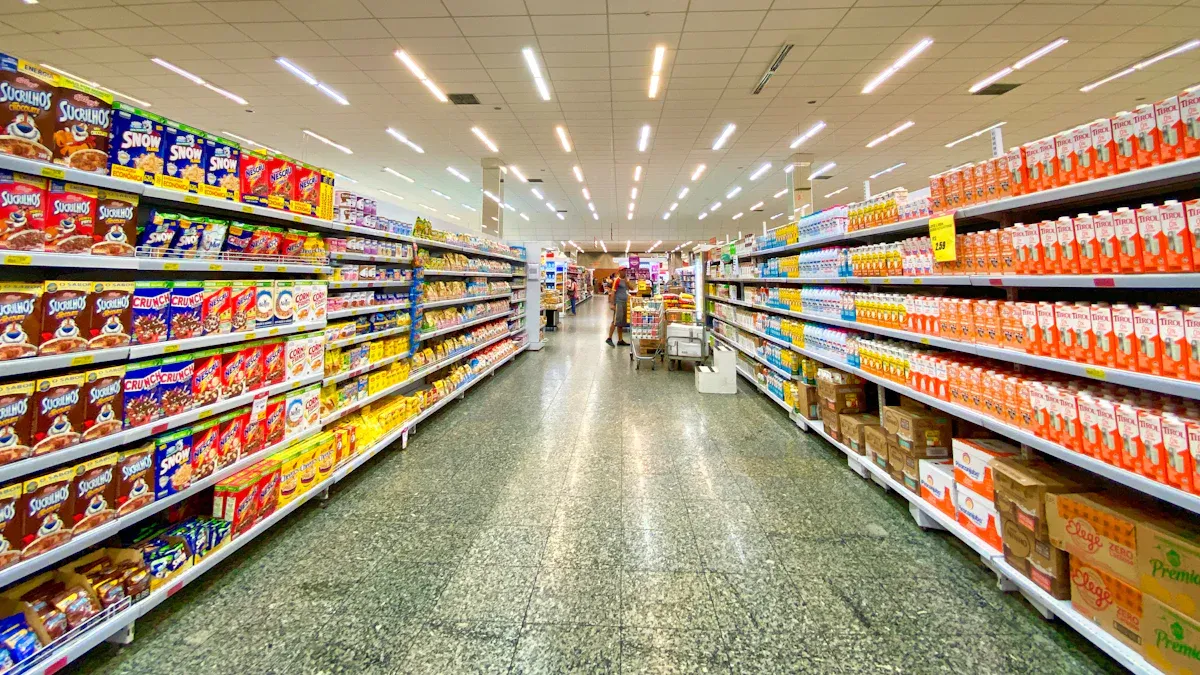
Shelf-edge labels are a critical touchpoint in your shopping journey. They do more than just display a price; they actively shape your perception of a store, influence your buying behavior, and create a smoother in-store experience. By delivering clear information at the moment of decision, labels become a powerful tool for building trust and guiding your choices.
Building Trust Through Transparency
Transparency is the foundation of a strong customer-retailer relationship. You want to feel confident that the information you see is accurate and honest.
Providing Clear and Accurate Pricing
Accurate pricing is non-negotiable for building trust. When the price on the shelf matches the price at checkout, it creates a positive and reliable experience. A study from UCSD examining over 100 stores found that Electronic Shelf Labels (ESLs) effectively resolve price discrepancies, a common source of customer frustration. This commitment to pricing integrity shows you that a retailer operates ethically.
- Consistent pricing builds your confidence and increases the likelihood of repeat purchases.
- Transparent practices project a positive brand image, reinforcing customer satisfaction.
- Conversely, missing or incorrect prices can cause confusion and damage your trust in the brand.
Offering Easy Access to Product Details
Trust also comes from having easy access to information. Labels provide key details like weight, brand, and origin at a glance. This transparency allows you to make informed decisions quickly without needing to inspect every package closely.
Influencing Purchase Decisions
Labels work as silent salespeople, using visual cues and key data to guide your purchasing decisions directly at the shelf.
Highlighting Promotions and Value
Your eyes are naturally drawn to things that stand out. Retailers use this principle with promotional tags. Bright colors and bold text for “Sale” or “New Item” disrupt the visual pattern of the aisle, guiding your attention to specific products. These “shelf talkers” are highly effective.
| Impact of Shelf Talkers | Description |
|---|---|
| Sales Increase | Well-designed tags can boost sales by 20% or more. |
| Purchase Decisions | An estimated 76% of buying choices happen at the shelf. |
| Visual Disruption | They guide your eyes to featured products. |
Simplifying Product Comparisons
Tip: Use unit pricing to find the best value. This is the cost of an item per standard measure (e.g., per ounce or per 100 count).
Unit pricing empowers you to be a smarter shopper. It eliminates the guesswork when comparing two items of different sizes. By looking at the price per ounce, you can instantly see whether the large “family size” box is a better deal than the smaller one, even if its total price is higher.
Creating a Seamless In-Store Journey
A well-executed labeling strategy removes friction from your shopping trip, making it more efficient and enjoyable.
Reducing Shopper Friction and Frustration
Clear, accurate, and easy-to-read shelf labels prevent the most common in-store frustrations. You can find what you need quickly, compare values effortlessly, and trust that the price will be correct at the register. This reduces delays and makes your entire trip feel more seamless.
Integrating with Mobile Apps via QR Codes
Modern labels bridge the gap between the physical aisle and the digital world. Many now include QR codes that you can scan with your smartphone. This simple action can unlock a wealth of information and engagement opportunities, such as:
- 📱 Accessing customer reviews and ratings.
- 🥑 Finding recipes that use the product.
- 🏆 Joining a loyalty program to earn points with your purchase.
The Future of the Shelf-Edge
The shelf-edge is evolving from a static information point into an interactive and intelligent retail frontier. As technology advances, you can expect labels to become more dynamic, data-rich, and integrated into both your operations and the customer’s shopping journey.
Innovations in Label Technology
The look and function of the label itself are undergoing a significant transformation, offering you new ways to communicate and engage.
Full-Color and Graphic Displays
Labels are moving beyond simple black-and-white text. Companies like Displaydata have introduced four-color e-Paper displays that use black, white, red, and yellow. This allows you to use vibrant graphics for branding, highlight promotions more effectively, and display detailed product imagery directly on the shelf. You can manage these full-color displays from a single source, enabling real-time visual updates across your entire store.
NFC and QR Code Integration
Modern labels now serve as a gateway to digital experiences. By integrating Near Field Communication (NFC), you allow shoppers to simply tap their phone on a label to interact with your brand. This opens up a world of possibilities:
- Reordering Consumables: A customer can tap a label on an empty product to instantly reorder it from your e-commerce site.
- Product Customization: You can let shoppers tap a tag on an item like a shoe to access a webpage for customization options.
- Brand Engagement: A tap can lead customers to videos, ingredient information, or an exclusive club membership sign-up.
The Rise of the Smart Shelf
The shelf itself is becoming intelligent. By combining electronic shelf labels with sensors, you can create a system that provides unprecedented insight into your store.
Real-Time Stock Level Monitoring
Smart shelves use an Internet of Things (IoT) approach, employing weight sensors, RFID tags, and cameras to track inventory automatically. This technology gives you an accurate, real-time view of stock levels for every product. You can immediately detect potential out-of-stocks or identify slow-moving items without manual checks, optimizing your inventory management.
Generating Actionable Data Analytics
Beyond inventory counts, smart shelf technology gathers valuable data on customer behavior. It can track which products shoppers pick up, where they linger in an aisle, and how they interact with promotions. This allows you to analyze shopping patterns, reorganize your store layout for better product discovery, and make data-driven decisions to improve the customer experience.
Sustainability in Shelf Labeling
As retailers focus more on environmental impact, labeling solutions are also being evaluated for their sustainability.
Reducing Paper Waste with ESLs
Electronic shelf labels offer a clear environmental benefit by eliminating the recurring need for paper, ink, and toner. This significantly reduces the physical waste associated with frequent price changes and promotions, contributing to a greener operational footprint.
Energy-Efficient E-Paper Technology
While e-paper displays are extremely energy-efficient, the full environmental picture is complex. A Life Cycle Assessment (LCA) found that the global production and transportation of ESLs can result in a higher initial carbon footprint compared to locally produced paper shelf labels. This means you must weigh the long-term benefit of reduced paper waste against the upfront manufacturing impact.
You can now see that shelf labels are fundamental retail tools. They work by displaying critical product data directly at the point of purchase. From a simple paper shelf tag to a dynamic electronic shelf tag, these devices are essential for your shopping journey. They ensure pricing accuracy and improve store operations. Ultimately, each label serves a powerful dual function: it is an informational asset for you and an operational powerhouse for the retailer.
FAQ
What is the main difference between a UPC and an SKU?
A Universal Product Code (UPC) is a universal identifier for a product across all retailers. A Stock Keeping Unit (SKU) is an internal code you create to track your own inventory. You use SKUs for internal management, while UPCs are for global product recognition.
Why do retailers use Electronic Shelf Labels (ESLs)?
You use ESLs to achieve 100% pricing accuracy and boost operational efficiency. They eliminate manual errors and free up your employees for customer service. This technology also enables you to execute rapid, store-wide price changes for promotions with just a few clicks.
Are ESLs expensive to install?
Yes, the initial investment for ESLs can be significant. You must account for the cost of the digital tags, wireless gateways, and software integration. Retailers weigh this upfront expense against long-term savings in labor, reduced errors, and increased promotional agility.
How does unit pricing help me as a shopper?
Unit pricing empowers you to make smarter value comparisons. It breaks down the cost into a standard measure, like per ounce or per pound. This helps you easily determine which product size offers the best deal, regardless of the total selling price.
What is a planogram and how do labels help with it?
A planogram is a visual diagram that dictates product placement on shelves. Many shelf labels include location codes that guide your staff. This ensures products are placed correctly, which improves restocking efficiency and provides a consistent shopping experience for customers.
Can shelf labels do more than just show a price?
Absolutely. Modern labels are interactive tools. They can display:
- 📊 Stock levels for employees
- 📱 QR codes for customer engagement
- 🎨 Promotional graphics and logos
These features turn the shelf-edge into a dynamic communication hub for both your staff and your customers.
Why are some shelf labels different colors?
You use color strategically to capture attention. Brightly colored tags, often called “shelf talkers,” are used to highlight specific information.
For example, a red tag typically signals a sale or special promotion, while a blue tag might indicate a new item, guiding the shopper’s eye.
See Also
Navigating The Digital Abyss: When Your Requested Page Vanishes